


Memory at the Edge: On-Device Vector Search with Qdrant Edge
Dylan Couzon
·June 16, 2026

On this page:
On its first day in an unfamiliar house, a home robot has to build memory as it goes: which rooms it has covered, where it last saw the car keys, whether the kitchen looks different now than it did this morning. And it has to answer those questions itself, where it stands, because the network isn’t always there, and it’s too slow to wait on even when it is.
That memory has a concrete shape. As the robot moves, it turns what its camera sees into vectors and writes them to a store it carries onboard. To make a decision, it queries that store for the nearest matches to what it is looking at, filtered by where or when it saw them. Capture, embed, search, decide, and the loop runs entirely on the robot, in milliseconds, with no trip to a server. The engine underneath it is Qdrant Edge: the same Qdrant vector search engine, running in-process as an embedded library instead of behind an API.
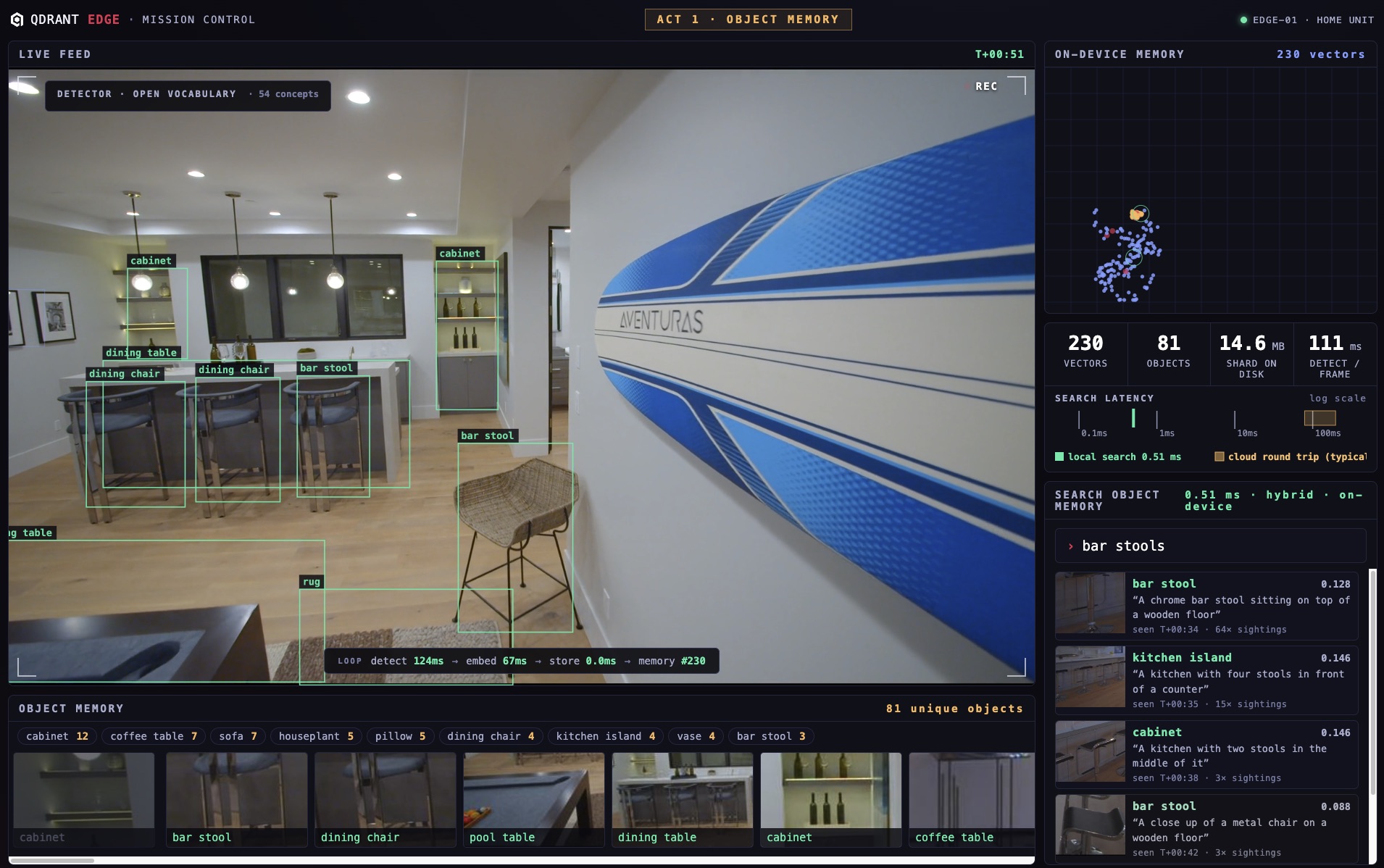
To make that memory visible, we built a demo you can drive. The robot starts each run from zero: a recorded walkthrough of a home plays as its camera feed, and every object it sees lands in a searchable memory on the device. Type what you remember, like “a leather lounge chair,” and the memory returns the object the robot passed two rooms ago in under a millisecond. Cut the network and nothing changes, because nothing ever left the device: the whole thing runs as one process.
Why Cloud-First Retrieval Breaks at the Edge
Once AI leaves the data center and starts acting in the physical world, the cloud-first pattern hits limits that have nothing to do with the model:
- Latency. Every decision becomes a network round trip, and a robot deciding where to step next can’t wait on one.
- Connectivity. Networks disappear in real environments. A drone inside a collapsed building, or a phone in a tunnel, has no link to wait for.
- Cost. Streaming every frame and event upstream adds up fast, and most of it is noise.
- Privacy. Raw camera and sensor data is sensitive, and much of it should never leave the device.
- Isolation. Every device, user, or tenant needs its own boundary, not a shared path back to one cloud.
The question underneath all five: what should stay local, what should stay isolated, and what deserves the cloud?
Qdrant Edge: A Library, Not a Service
Qdrant Edge is the standard Qdrant vector search engine, written in Rust, deployed as an embedded, in-process library. You open a shard on local disk inside your own process, write embeddings to it, and query them in sub-milliseconds, fully offline. No Docker, no background service, no network path, and an install footprint around 11 MB.
from qdrant_edge import EdgeShard, UpdateOperation, Query, QueryRequest

# open the local shard, in-process, no server
shard = EdgeShard.load(SHARD_DIRECTORY)

# observations become searchable memory
shard.update(UpdateOperation.upsert_points(points))

# query it offline, in milliseconds
hits = shard.query(QueryRequest(
    query=Query.Nearest(frame_embedding, using="vision"),
    limit=5,
))
Those few lines are the whole integration. The Edge quickstart walks through them end to end, from opening a shard to your first query.
Edge keeps Qdrant’s full retrieval surface: the same composable query primitives run in-process here as they do server-side, documented in the Qdrant Edge reference. What it drops is the server. With no background optimizers or update threads, every operation is synchronous and under your control. That shift, the engine without the service around it, is what opens up a different class of architectures.
Inside the Demo: How the Robot Remembers
The robot demo (the full source is on GitHub) is built entirely on that one shard. One ingest tick, running three times per second of video, drives four models and writes to Edge:
- YOLOE detects and tracks every object in the frame with an open vocabulary, so there is no fixed class list.
- SigLIP2 embeds each confirmed object and each full frame into one shared vision space.
- Florence-2 captions each new object on a background thread (“a chrome bar stool on a wooden floor”).
- The Edge shard stores all of it: dense vision vectors for similarity, sparse BM25 vectors over the captions for keyword matching, plus payload indexes and live facet counts per object class.
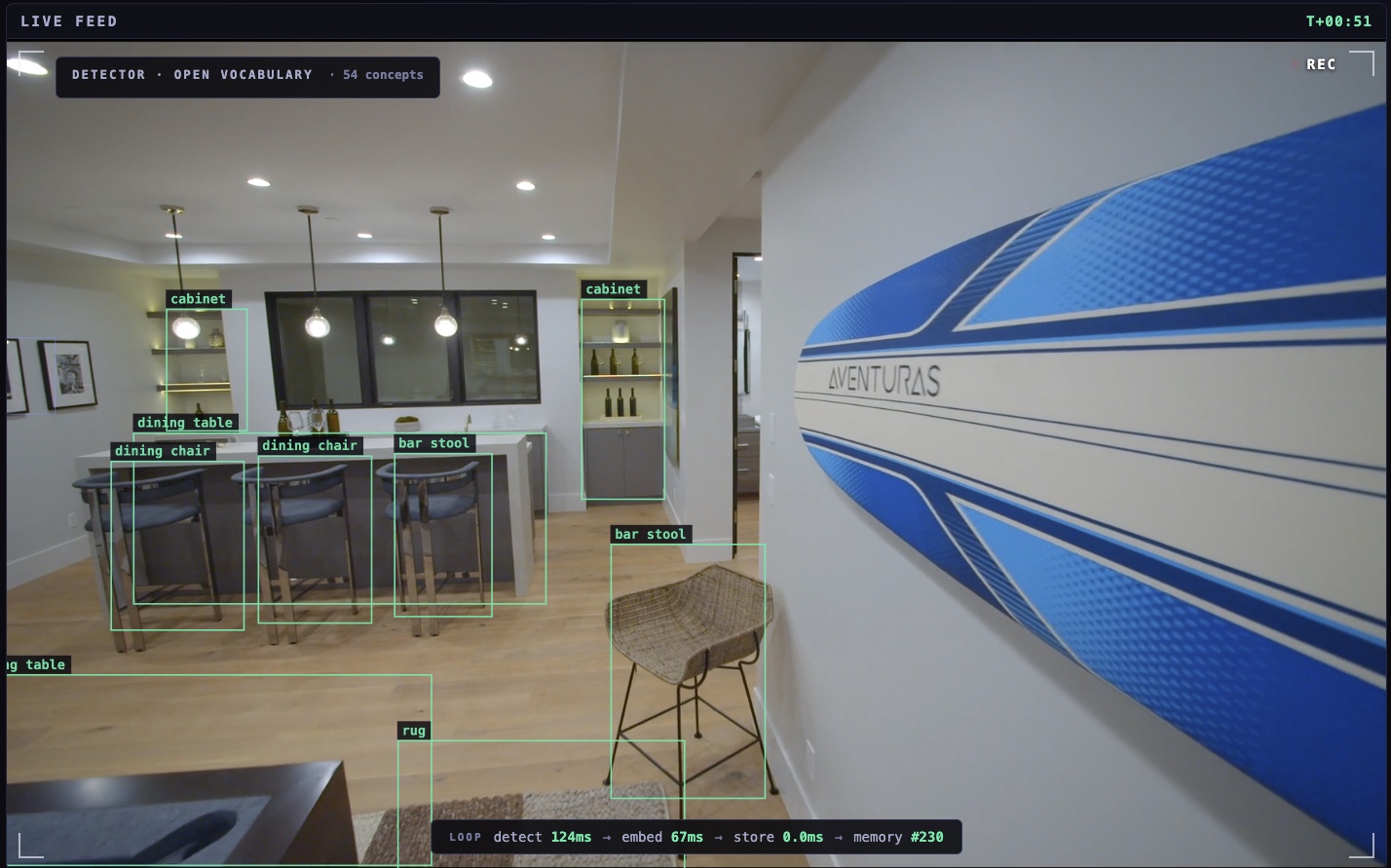
Live feed. Open-vocabulary detection on each frame, with per-frame detect, embed, and store timings.
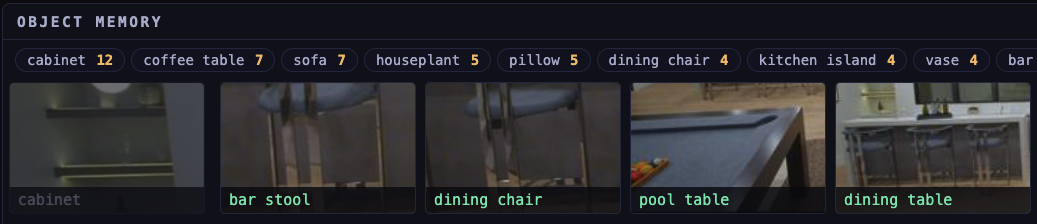
Object memory. Live facet counts per class, maintained in the shard as objects are detected.
A search embeds your text once, then runs two prefetches inside the shard, dense similarity over the object crops and BM25 over the captions, and fuses them with Reciprocal Rank Fusion (RRF). Measured inside the shard, after that one-time text embedding, the hybrid query returns scored objects in under a millisecond, all in-process. You can also teach the robot a new concept live: type “a surfboard” and it starts detecting surfboards in about 300 ms, from a single text embedding, with no retraining.
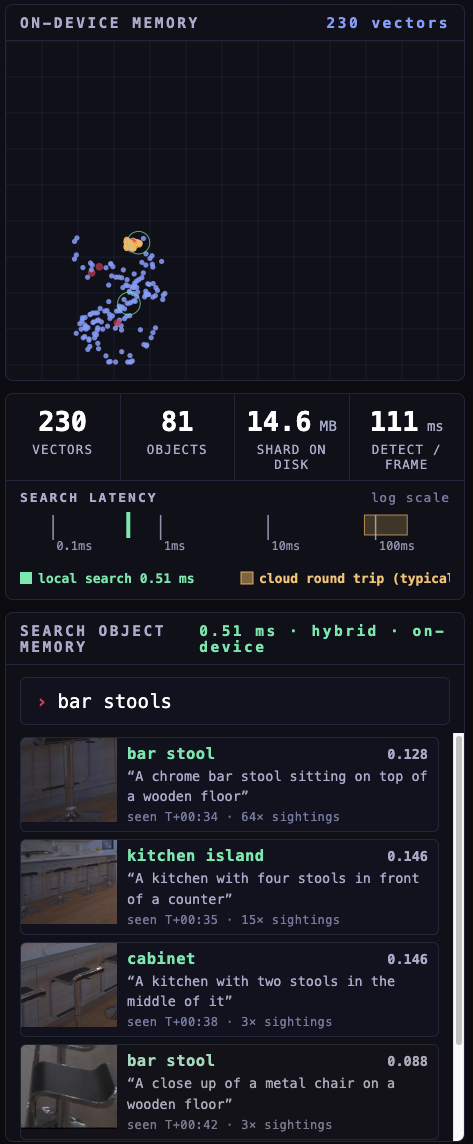
Hybrid search. A text query fused over dense object crops and BM25 captions, returned from local memory in 0.51 ms.
Three Patterns for On-Device Vector Search
A robot that remembers is one instance of a general shape: retrieval as memory, running where the data is created. Each pattern reuses the same primitives from the demo, a local shard, dense and sparse vectors, payload filters, and an optional sync queue, in a different arrangement.
Robotic Memory
A robot collects experiences all day: frames, detected objects, places, completed tasks. Embed them and the local shard becomes its memory layer. A warehouse robot looking for an item asks its own memory (“where did I last see this SKU?”) instead of a server, and a dense-vector query with a payload filter returns the aisle and bay in milliseconds. This is retrieval as perception memory, not retrieval over documents.
That memory holds up when the network doesn’t. Send the same robot into a collapsed building after an earthquake and the uplink is gone: it keeps writing to the local shard and querying it offline, comparing what it sees now against what it saw before to decide what is worth reporting. Urgent finds, like a person on a rooftop, trigger action immediately, while lower-priority findings wait in a sync queue and synchronize to a central Qdrant once the connection returns.
Edge Anomaly Triage
This is where the economics are clearest. A camera, drone, or industrial sensor doesn’t need to upload everything. A nearest-neighbor query in the shard compares each observation against a local baseline of normal, and the device escalates only what looks unfamiliar: a new crack on a bridge, an unusual machine state on a line, a blocked aisle. Process locally, detect the exceptions, sync only the evidence: less data uploaded, sensitive observations kept on the device, retrieval off the network path.
Private Device Memory
On a personal device, local memory gives people recall without turning every moment into a cloud upload. Smart glasses can answer “where did I leave my badge?” or “did I lock the door?” with a hybrid query over a shard that never leaves the device, isolated per user. The point isn’t to record everything forever; it’s useful recall that keeps private context next to the user.
Local First, Cloud When Needed, Sync Between
Every one of those systems can follow the same shape:
- Local first. A fast loop runs entirely on the device: capture context, embed it, search the local shard, decide. Often the decision is to do nothing, and the network stays off the critical path.
- Cloud when needed. An escalation step sends only the cases that need more, an uncertain answer, a larger model, global context, or an audit trail, up to Qdrant in the cloud for full-corpus search at scale.
- Sync between. A two-way channel carries fresh context down and evidence, shared memories, and fleet learning up, on its own schedule instead of the critical path.
Speed, privacy, and isolation stay local. The cloud handles scale.
The Bottleneck Was Never Retrieval
It’s natural to assume on-device retrieval means giving up speed or accuracy. The opposite holds, because the slow part was never the engine. In an in-house test, the same single-vector query over a 10,000-vector collection ran in about 0.1 ms on-device on an iPhone 16 Pro, against about 52 ms when it had to round-trip to Qdrant Cloud over a cellular connection. Almost the entire gap is the network, not compute. The same Rust engine runs the same index on both sides, so the top results match; what changes is whether a network sits in the path. The Edge tradeoff isn’t quality. It’s latency, offline capability, and privacy, in your favor.
These are in-house measurements with one consistent method, not an official benchmark, but the figures aren’t the point: run retrieval in-process, and the network leaves the critical path.
Get Started with Qdrant Edge
Qdrant Edge is free to use and currently in beta. You can install it today and open your first shard in a few lines:
pip install qdrant-edge-py   # Python
cargo add qdrant-edge        # Rust
The Edge quickstart walks through your first shard, and the Qdrant Edge page covers where it fits. The full robot demo runs live in your browser, with the pipeline and mission-control interface on GitHub.
Qdrant Edge puts the full vector search engine where AI systems operate: on the device, in your process, and offline by default.
