> Explore Qdrant's agent skills catalog at https://skills.qdrant.tech/
> Search the documentation at https://skills.qdrant.tech/search?query=your+query+here
> Use this file to discover all available pages: https://qdrant.tech/llms.txt
> Editor's note: The project follow-ups describe plans from 2023. This 2023 post was edited for length and clarity. Read the [original version](https://github.com/qdrant/landing_page/blob/bb7f15b97237c97748fdbeea45499e2fcaba2377/qdrant-landing/content/articles/web-ui-gsoc.md).
I'm Kartik Gupta, and I worked on Qdrant's Web UI during Google Summer of Code 2023. Exploring vector data through API responses alone made it hard to see collections, inspect points, and understand their relationships. My project brought those tasks into a browser interface.
This post describes the interface I built in 2023. Screenshots show that version; use the [current Web UI documentation](https://qdrant.tech/documentation/web-ui/index.md) for setup and instructions.
## Building the Interface
I began with a [Figma design](https://www.figma.com/file/z54cAcOErNjlVBsZ1DrXyD/Qdant?type=design&node-id=0-1&mode=design) and organized the work into six milestones. The layout connected the collection browser, point viewer, query editor, and vector visualization pages.
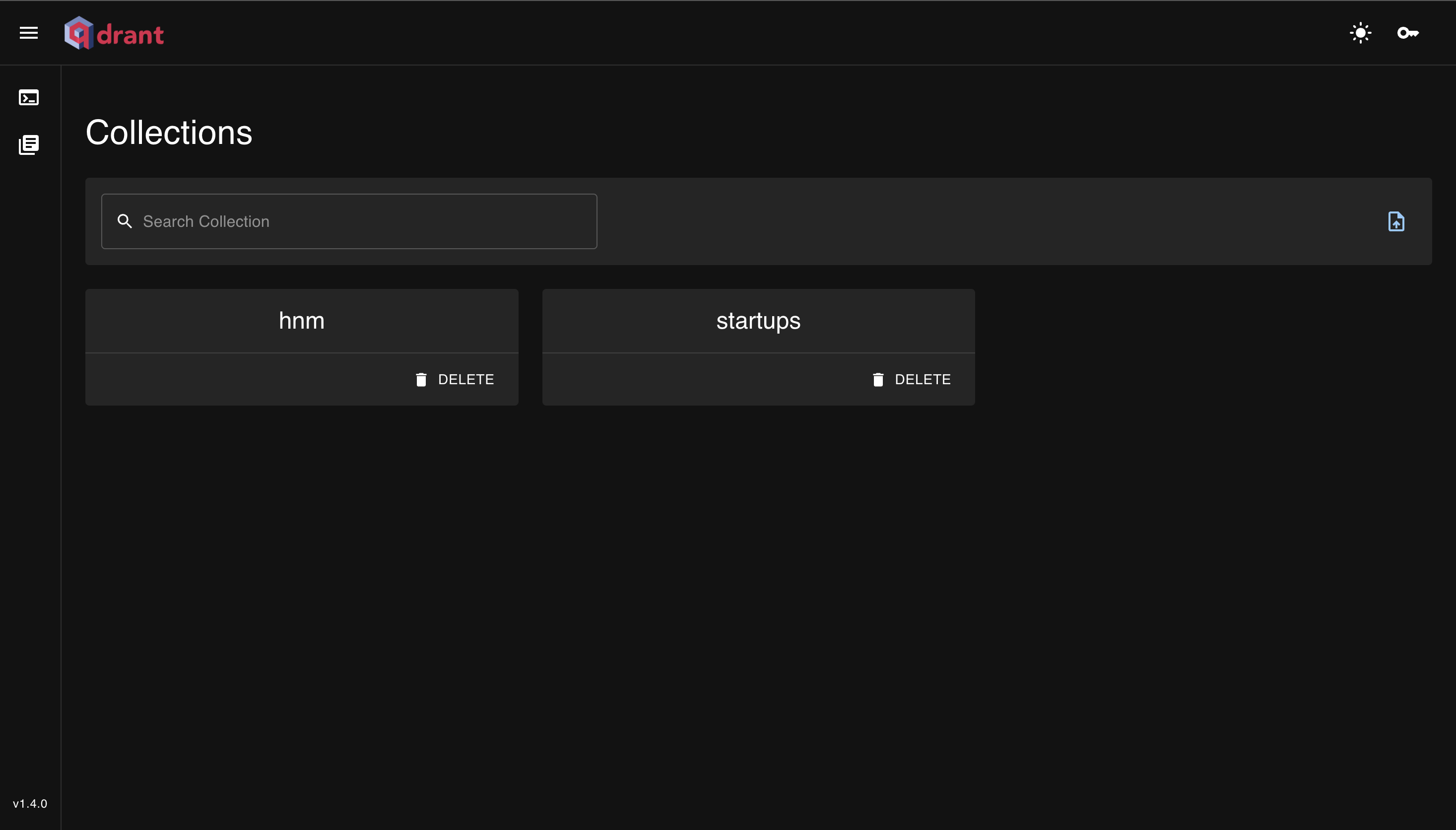
The collection page listed the available collections and linked to their data.
The collection browser in the 2023 Web UI.
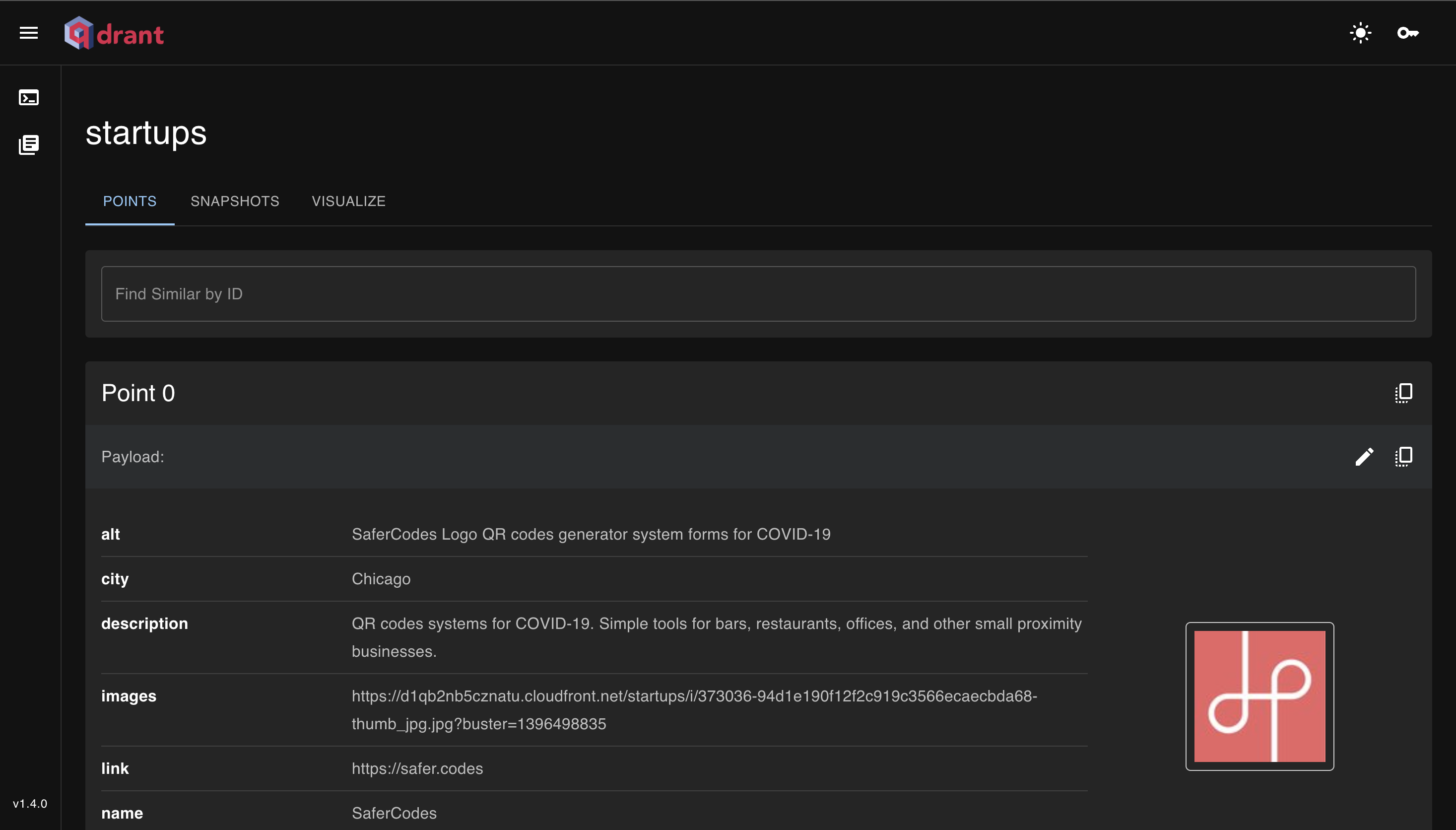
The point viewer let users inspect stored data and choose a point for a recommendation query. Its "find similar" action used the selected point's ID to retrieve related points.
The point viewer in the 2023 Web UI.
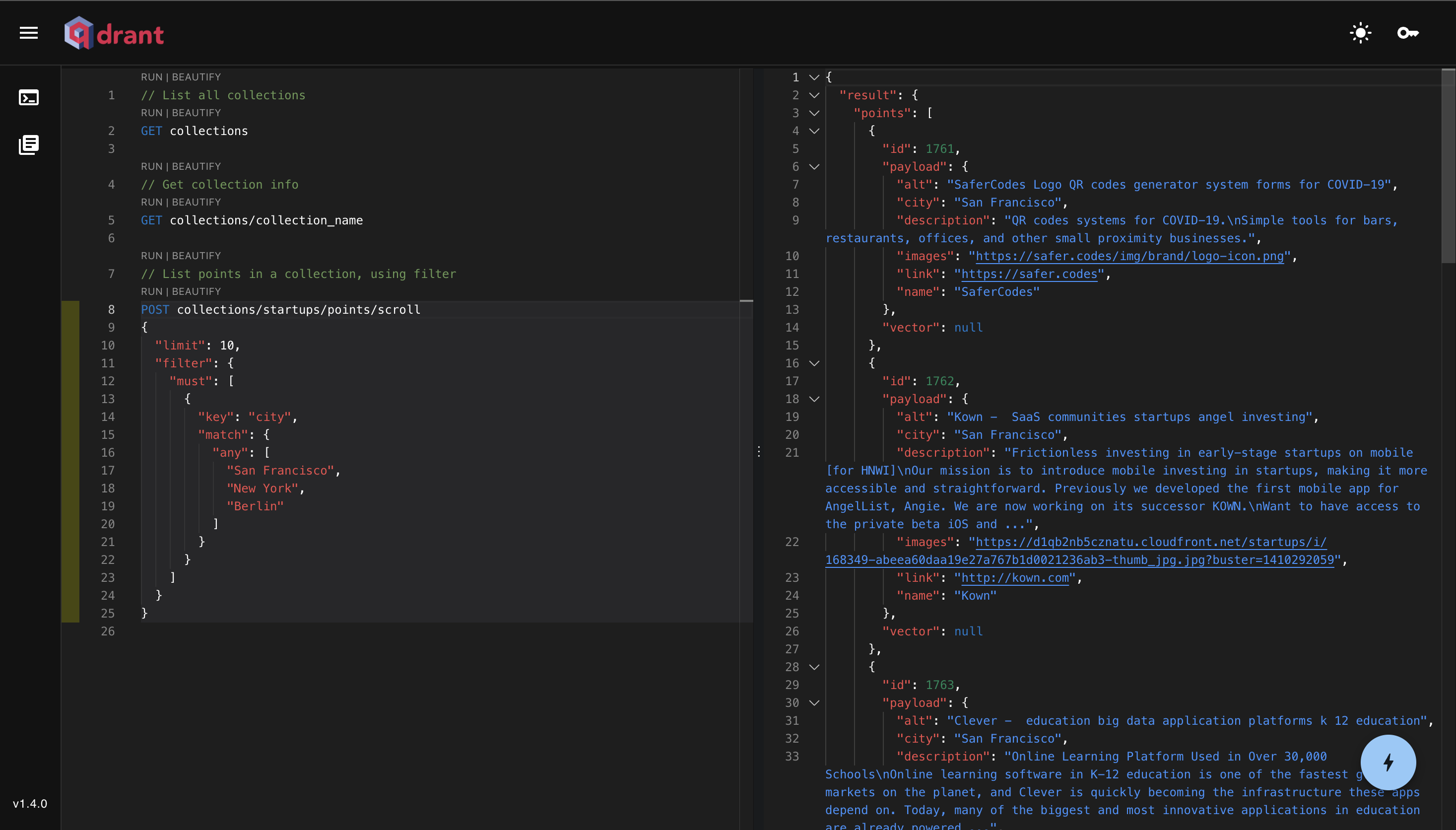
I also built a query editor with syntax highlighting, autocomplete, and error checks. Connecting Monaco Editor to API requests required both language support and a way to run individual queries.
The query editor in the 2023 Web UI.
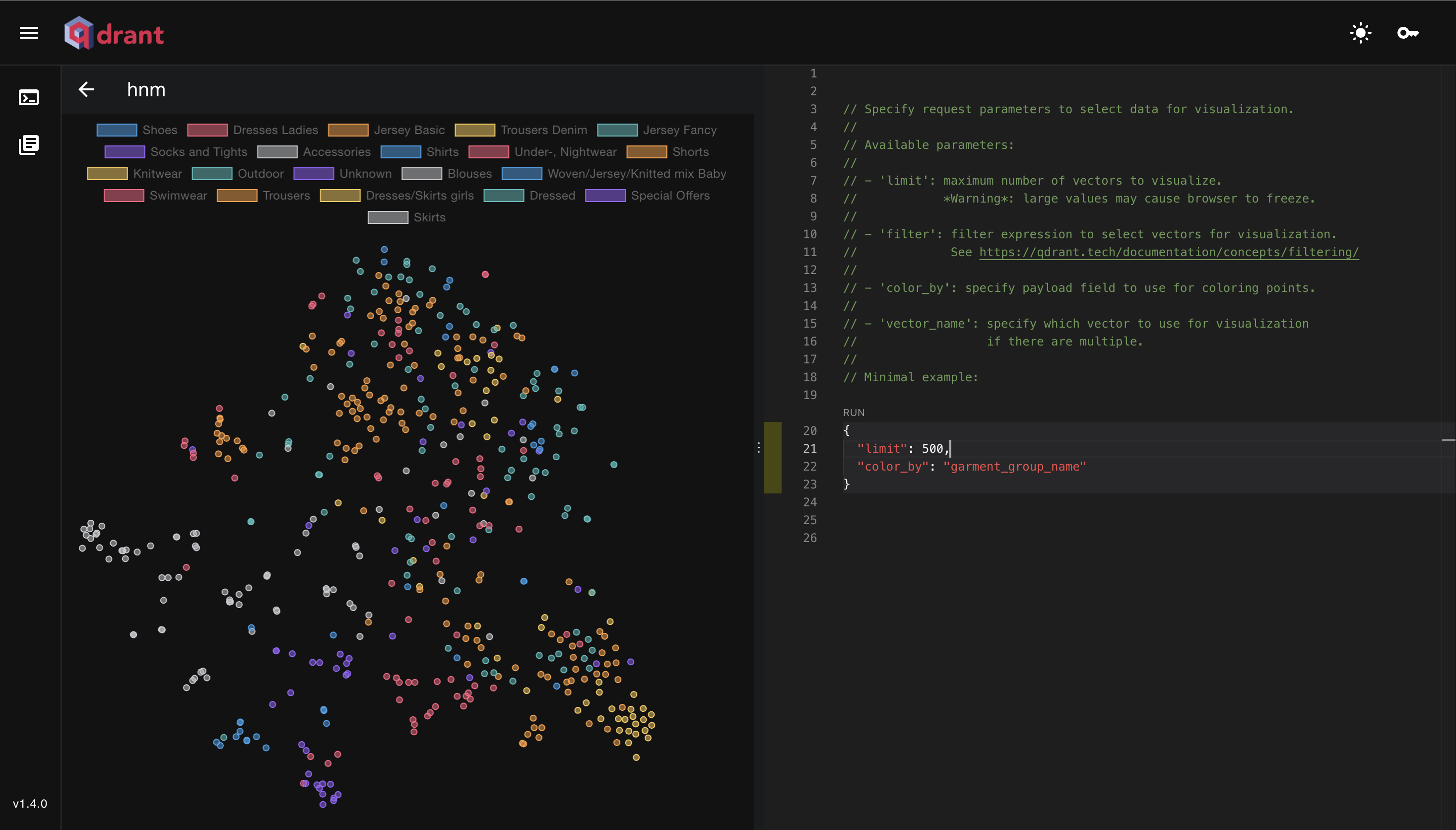
The visualization page reduced high-dimensional vectors to two dimensions and displayed the resulting points with their payloads.
Vector visualization in the 2023 Web UI.
## Working Through the Challenges
Autocomplete was one of the harder parts. My mentor, Andrey, suggested a separate module that could use the OpenAPI specification to support suggestions. This helped connect the editor's language features to the API definitions.
Vector reduction also put pressure on the browser. I moved that work into Web Workers so the main thread could keep handling the interface. Learning how to start and terminate workers became part of the implementation.
The console had its own integration problems. Parsing requests, sending them to Qdrant, and displaying responses had to work together. A bug that registered the run button several times reminded me to test the editor's lifecycle, not only a single successful query.
## What I Took From the Project
The project introduced me to vector search, dimension reduction, Monaco Editor, Material UI, and Vite. It also taught me to set realistic milestones and ask for feedback while the work was still easy to change.
At the end of the program, I wanted to improve JSON key-value suggestions, connect error checks more closely to OpenAPI, and explore faster visualization methods.
Thank you to my mentors and the Qdrant community for helping me complete the work. To explore your own collections, open the [current Qdrant Web UI](https://qdrant.tech/documentation/web-ui/index.md).