
 Module 2
Core Data Model
Qdrant organizes data in three levels. Understanding this structure is the foundation for everything else in the course.
Collection
Like a table in a relational database. Stores vectors of a fixed size and a chosen distance metric. Every point in a collection must have a vector of the same dimension.
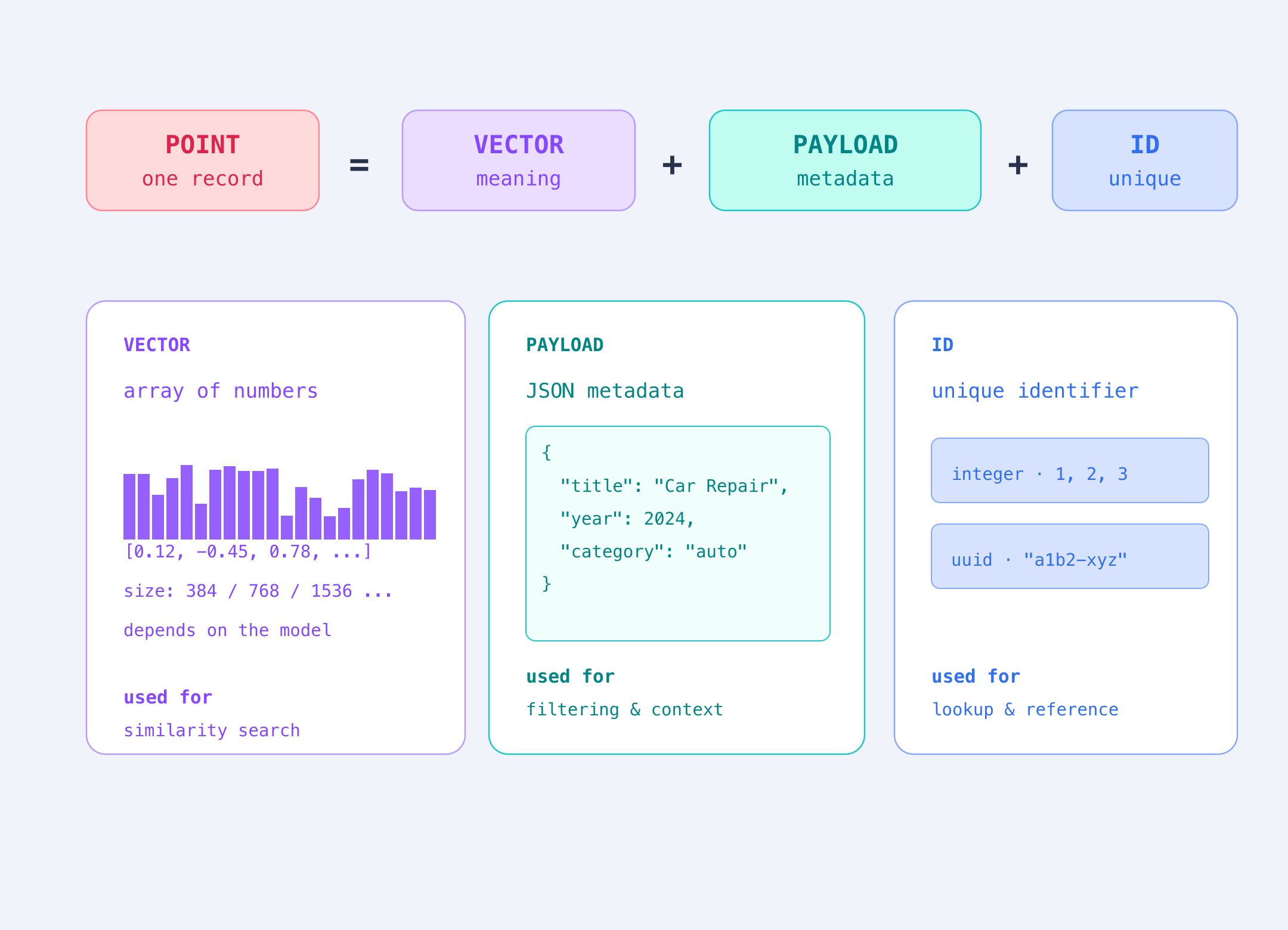
Point
The atomic unit of data. Every point has an ID (integer or UUID), a vector, and an optional payload. Points are what you search, retrieve, and filter.
Vector
A vector is a list of numbers. An embedding is a vector created by a model to represent the meaning of content. In semantic search, a dense vector is usually an embedding generated from text, images, or other data.
Each number represents one dimension of the vector. Similar content produces similar vectors, making it easier to find related items. Dense vectors usually contain values across most dimensions. This module focuses on dense vectors; Module 3 introduces sparse vectors, which contain mostly zeros.
Payload
Custom JSON metadata attached to a point. Used for filtering, retrieval scoping, and result enrichment. Can hold strings, numbers, booleans, geo coordinates, or arrays.
Your Qdrant Cluster
To create a collection, you need a running Qdrant instance, or cluster. A cluster is a Qdrant deployment that stores your collections and handles requests. You can use Qdrant Cloud or run Qdrant yourself locally. Qdrant Cloud offers a free tier that takes about a minute to set up. Module 0 walks you through the process with screenshots.
from qdrant_client import QdrantClient, models

client = QdrantClient(
    # your cluster URL, from Module 0
    url="https://xyz-example.eu-west-1-0.aws.cloud.qdrant.io",
    # your cluster API key, from Module 0
    api_key="<your-api-key>",
)
Creating a Collection
Once connected, you create a collection by setting two parameters: the size of the vectors it accepts and the distance metric used for similarity.
Both come from your embedding model. 384 is the vector size of all-MiniLM-L6-v2, the model from Module 1, and cosine is the metric it was trained for.
client.create_collection(
    collection_name="articles",
    vectors_config=models.VectorParams(
        # 384: the vector size of all-MiniLM-L6-v2, from Module 1
        size=384,
        distance=models.Distance.COSINE,
    ),
)
Inserting a Point
Each point contains an ID, a vector that represents your content, and a payload with metadata you can use to filter or return results later.
Use upsert to add a point to a collection. If the ID is new, Qdrant inserts the point. If the ID already exists, Qdrant updates the existing point.
from qdrant_client.models import PointStruct  # represents a single point: id, vector, and payload

client.upsert(
    collection_name="articles",
    points=[
        PointStruct(
            id=1,
            vector=[0.12, -0.87, 0.33, ...],   # 384-dim embedding
            payload={
                "title": "Car Repair Guide",
                "category": "automotive",
                "year": 2024,
                "region": "EU",
            },
        )
    ],
)