Module 2
Payload Filtering
Payload filtering lets you apply hard conditions during HNSW traversal, not after retrieval. This keeps results both semantically relevant and legally/logically valid.
This searches by vector similarity as usual, but only among points whose payload passes the filter:
Filter— the overall conditionmust— a list of conditions that all have to be true (AND logic)FieldCondition— checks one payload field; here, thatcategoryequals"automotive"
Filter Types
| Condition | What it does | Example use case |
|---|---|---|
| must | All conditions must be true (AND logic) | Category = automotive AND year >= 2022 |
| should | At least one condition must be true (OR logic) | Category = automotive OR category = transport |
| must_not | Exclude matching points | Exclude documents flagged as deleted or expired |
| Range | Numeric range comparisons (gte, lte, gt, lt) | year between 2020 and 2024 |
| Geo | Geospatial radius or bounding box filter | Restaurants within 5 km of user location |
from qdrant_client.models import Filter, FieldCondition, MatchValue

results = client.query_points(
    collection_name="articles",
    query=[...],
    query_filter=Filter(
        must=[
            FieldCondition(
                # the payload field to check
                key="category",
                # keep only points where category == "automotive"
                match=MatchValue(value="automotive")
            )
        ]
    ),
    limit=5,
)
Index Your Filter Fields
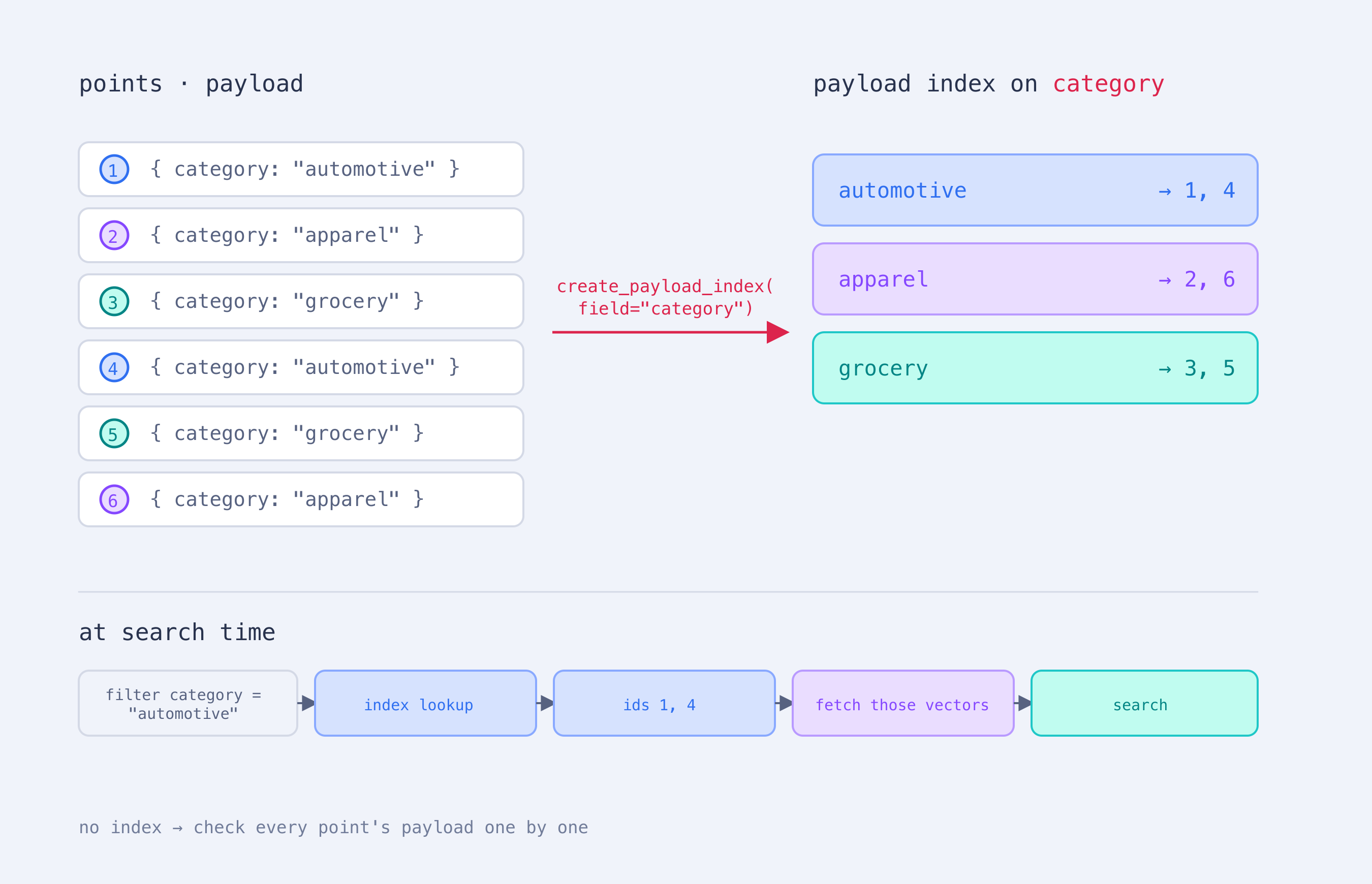
For fields you filter frequently, create a payload index. Without one, Qdrant may need to check payload values across many points at query time. With one, it can look up matching points directly, making filtered queries faster.
Use client.create_payload_index() for fields used in must, should, or must_not conditions. See Payload Indexing for supported index types and configuration options.