
Qdrant Cloud API: Powerful gRPC and Flexible REST/JSON Interfaces
Note: This is not the Qdrant REST or gRPC API of the database itself. For database APIs & SDKs, see our list of interfaces
Introduction
The Qdrant Cloud API lets you automate the Qdrant Cloud platform. You can use this API to manage your accounts, clusters, backup schedules, authentication methods, hybrid cloud environments, and more.
To cater to diverse integration needs, the Qdrant Cloud API offers two primary interaction models:
- gRPC API: For high-performance, low-latency, and type-safe communication. This is the recommended way for backend services and applications requiring maximum efficiency. The API is defined using Protocol Buffers.
- REST/JSON API: A conventional HTTP/1.1 (and HTTP/2) interface with JSON payloads. This API is provided via a gRPC Gateway, translating RESTful calls into gRPC messages, offering ease of use for web clients, scripts, and broader tool compatibility.
You can find the API definitions and generated client libraries in our Qdrant Cloud Public API GitHub repository. Note: The API is split into multiple services to make it easier to use.
Qdrant Cloud API Endpoints
- gRPC Endpoint: grpc.cloud.qdrant.io:443
- REST/JSON Endpoint: https://api.cloud.qdrant.io
Authentication
Most of the Qdrant Cloud API requests must be authenticated. Authentication is handled via API keys (so-called Cloud Management Keys), which should be passed in the Authorization header.
Cloud Management Keys: Authorization: apikey <YOUR_CLOUD_MANAGEMENT_KEY>
Replace <YOUR_CLOUD_MANAGEMENT_KEY> with a key created in the Qdrant Cloud Console or programmatically with qcloud iam key create.
You can create a Cloud Management Keys in the Cloud Console UI. Go to Access Management > Cloud Management Keys.
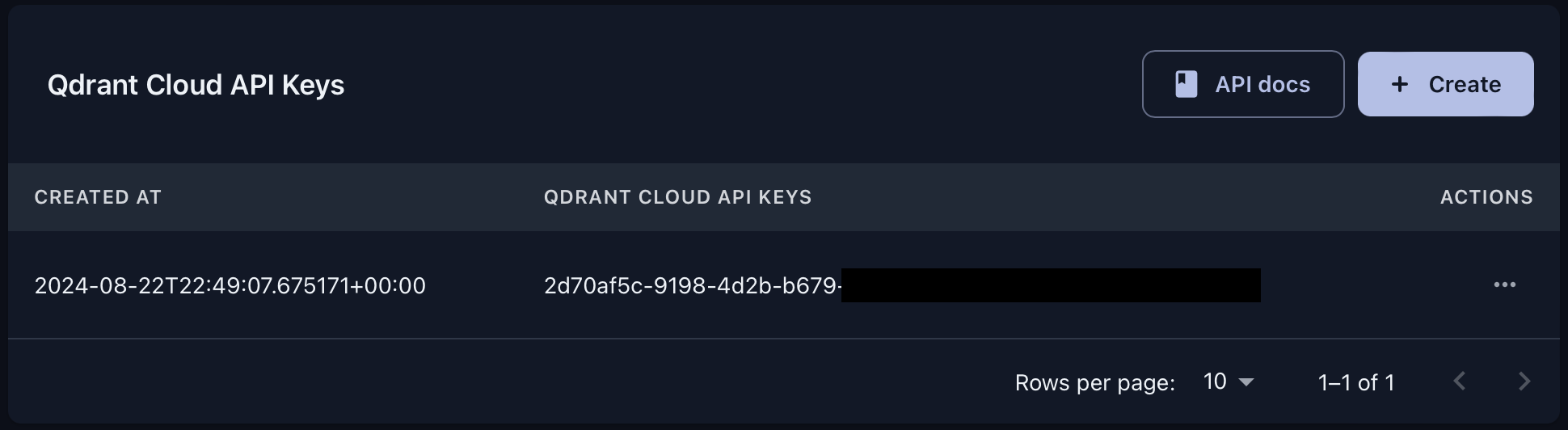
Note: Ensure that the API key is kept secure and not exposed in public repositories or logs. Once authenticated, the API allows you to manage clusters, backup schedules, and perform other operations available to your account.
Each method requires RBAC permissions, such as read:clusters to list clusters. A key can only call methods that its permissions allow. See the permission reference.
First Request
List the clusters in an account:
curl "https://api.cloud.qdrant.io/api/cluster/v1/accounts/<ACCOUNT_ID>/clusters" \
  -H "Authorization: apikey <YOUR_CLOUD_MANAGEMENT_KEY>"
Services
The API is split into services. These are the ones you use most:
| Service | Manages |
|---|---|
ClusterService | Clusters, including restarts, suspending, and Qdrant releases |
DatabaseApiKeyService (v2) | Database API keys for a cluster. Version 1 is deprecated |
BackupService | Backups, backup schedules, and restores |
BookingService | Packages (node sizes), storage tiers, inference models, and price quotes |
PlatformService | Cloud providers and regions |
AuthService | Cloud Management Keys |
IAMService | Roles, users, and permissions |
HybridCloudService | Hybrid Cloud environments |
MonitoringService | Cluster metrics, logs, and events |
Samples
For a complete workflow with curl, see Automate Qdrant Cloud. For samples with grpcurl or the provided SDKs, see the Qdrant Cloud Public API repository.
Terraform Provider
Qdrant Cloud also provides a Terraform provider to manage your Qdrant Cloud resources. Learn more.
 Ready to try Qdrant?