# Data Synchronization Patterns
# Data Synchronization Patterns
This page describes patterns for synchronizing data between Qdrant Edge Shards and Qdrant server collections. For a practical end-to-end guide on implementing these patterns, refer to the [Qdrant Edge Synchronization Guide](/documentation/edge/edge-synchronization-guide/index.md).
## Initialize Edge Shard from Existing Qdrant Collection
Instead of starting with an empty Edge Shard, you may want to initialize it with pre-existing data from a collection on a Qdrant server. You can achieve this by restoring a snapshot of a shard in the server-side collection.
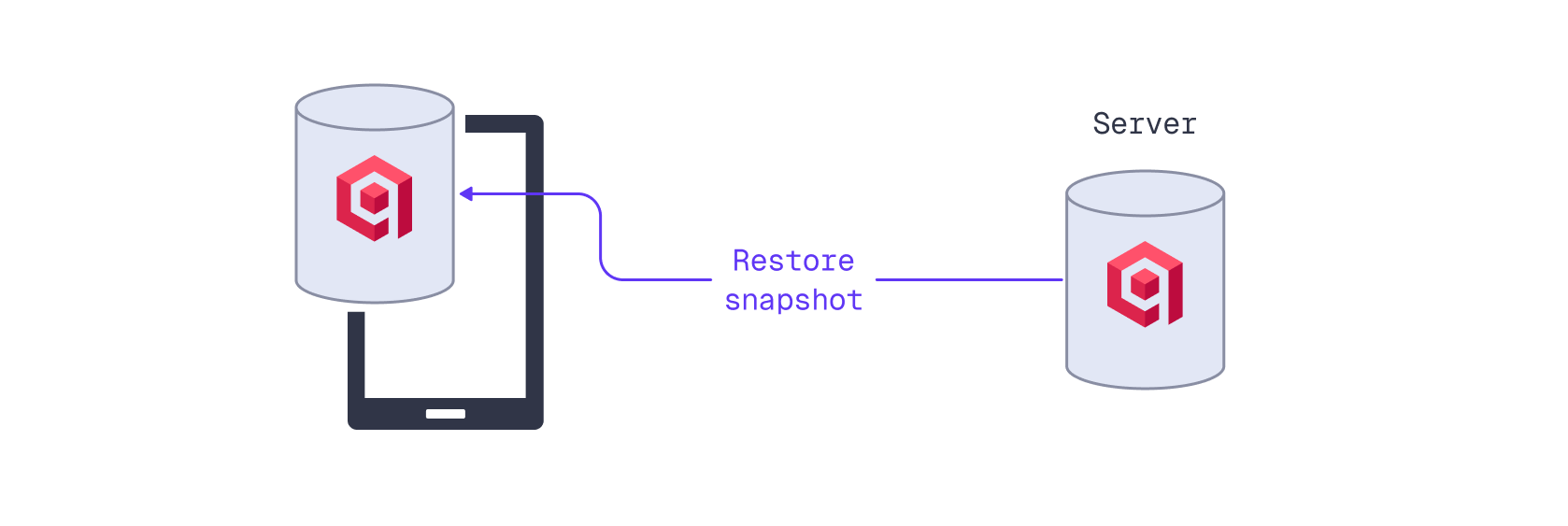
When creating a snapshot for synchronization, specify the applicable server-side shard ID in the snapshot URL. This allows for a single collection to serve multiple independent users or devices, each with its own Edge Shard. Read more about Qdrant's sharding strategy in the [Tiered Multitenancy Documentation](/documentation/manage-data/multitenancy/index.md#tiered-multitenancy).
First, craft a snapshot URL:
```python
COLLECTION_NAME="edge-collection"
snapshot_url = f"{QDRANT_URL}/collections/{COLLECTION_NAME}/shards/0/snapshot"
```
```rust
const COLLECTION_NAME: &str = "edge-collection";
let snapshot_url = format!(
"{QDRANT_URL}/collections/{COLLECTION_NAME}/shards/0/snapshot"
);
```
Note that this example uses shard ID `0`.
Using the snapshot URL, you can download the snapshot to the local disk and use its data to initialize a new Edge Shard.
```python
from pathlib import Path
from qdrant_edge import EdgeShard
import requests
import shutil
import tempfile
SHARD_DIRECTORY = "./qdrant-edge-directory"
data_dir = Path(SHARD_DIRECTORY)
with tempfile.TemporaryDirectory(dir=data_dir.parent) as restore_dir:
snapshot_path = Path(restore_dir) / "shard.snapshot"
with requests.get(snapshot_url, headers={"api-key": QDRANT_API_KEY}, stream=True) as r:
r.raise_for_status()
with open(snapshot_path, "wb") as f:
for chunk in r.iter_content(chunk_size=8192):
f.write(chunk)
if data_dir.exists():
shutil.rmtree(data_dir)
data_dir.mkdir(parents=True, exist_ok=True)
EdgeShard.unpack_snapshot(str(snapshot_path), str(data_dir))
edge_shard = EdgeShard.load(SHARD_DIRECTORY)
```
```rust
const SHARD_DIRECTORY: &str = "./qdrant-edge-directory";
let data_dir = Path::new(SHARD_DIRECTORY);
let restore_dir = tempfile::Builder::new()
.tempdir_in(data_dir.parent().unwrap_or(Path::new(".")))?;
let snapshot_path = restore_dir.path().join("shard.snapshot");
let mut bytes = Vec::new();
std::io::copy(
&mut ureq::get(&snapshot_url)
.header("api-key", QDRANT_API_KEY)
.call()?
.into_body()
.into_reader(),
&mut bytes,
)?;
fs_err::write(&snapshot_path, &bytes)?;
if data_dir.exists() {
fs_err::remove_dir_all(data_dir)?;
}
fs_err::create_dir_all(data_dir)?;
EdgeShard::unpack_snapshot(&snapshot_path, data_dir)?;
let edge_shard = EdgeShard::load(data_dir, None)?;
```
This code first downloads the snapshot to a temporary directory. Next, `EdgeShard.unpack_snapshot` unpacks the downloaded snapshot into the data directory, and an EdgeShard is initialized using the unpacked data and configuration.
The `edge_shard` will use the same configuration and the same file structure as the source collection from which the snapshot was created, including vector and payload indexes.
## Update Qdrant Edge with Server-Side Changes
To keep an Edge Shard updated with new data from a server collection, you can periodically download and apply a snapshot. Restoring a full snapshot every time would create unnecessary overhead. Instead, you can use partial snapshots to restore changes since the last snapshot. A partial snapshot contains only those segments that have changed, based on the Edge Shard's manifest that describes all its segments and metadata.
```python
manifest = edge_shard.snapshot_manifest()
url = f"{QDRANT_URL}/collections/{COLLECTION_NAME}/shards/0/snapshot/partial/create"
with tempfile.TemporaryDirectory(dir=data_dir) as temp_dir:
partial_snapshot_path = Path(temp_dir) / "partial.snapshot"
response = requests.post(url, headers={"api-key": QDRANT_API_KEY}, json=manifest, stream=True)
response.raise_for_status()
with open(partial_snapshot_path, "wb") as f:
for chunk in response.iter_content(chunk_size=8192):
f.write(chunk)
edge_shard.update_from_snapshot(str(partial_snapshot_path))
```
```rust
let current_manifest = edge_shard.snapshot_manifest()?;
let update_url = format!(
"{QDRANT_URL}/collections/{COLLECTION_NAME}/shards/0/snapshot\
/partial/create"
);
let temp_dir = tempfile::tempdir_in(data_dir)?;
let partial_snapshot_path = temp_dir.path().join("partial.snapshot");
let mut bytes = Vec::new();
std::io::copy(
&mut ureq::post(&update_url)
.header("api-key", QDRANT_API_KEY)
.send_json(¤t_manifest)?
.into_body()
.into_reader(),
&mut bytes,
)?;
fs_err::write(&partial_snapshot_path, &bytes)?;
let unpacked_dir = tempfile::tempdir_in(data_dir)?;
EdgeShard::unpack_snapshot(&partial_snapshot_path, unpacked_dir.path())?;
let snapshot_manifest = SnapshotManifest::load_from_snapshot(
unpacked_dir.path(),
None,
)?;
let edge_shard = EdgeShard::recover_partial_snapshot(
data_dir,
¤t_manifest,
unpacked_dir.path(),
&snapshot_manifest,
)?;
```
## Update a Server Collection from an Edge Shard
To synchronize data from an Edge Shard to a server collection, implement a dual-write mechanism in your application. When you add or update a point in the Edge Shard, simultaneously store it in a server collection using the Qdrant client.
Instead of writing to the server collection directly, you may want to set up a background job or a message queue that handles the synchronization asynchronously. The application may not always have a stable internet connection, so queuing updates ensures that data is eventually synchronized when connectivity is restored.
First, initialize:
- an Edge Shard from scratch or from server-side snapshot
- a Qdrant server connection.
Details
Initialize an Edge Shard:
```python
from pathlib import Path
from qdrant_edge import (
Distance,
EdgeConfig,
EdgeVectorParams,
)
SHARD_DIRECTORY = "./qdrant-edge-directory"
VECTOR_NAME="my-vector"
VECTOR_DIMENSION=4
Path(SHARD_DIRECTORY).mkdir(parents=True, exist_ok=True)
config = EdgeConfig(
vectors={
VECTOR_NAME: EdgeVectorParams(
size=VECTOR_DIMENSION,
distance=Distance.Cosine,
)
}
)
edge_shard = EdgeShard.create(SHARD_DIRECTORY, config)
```
```rust
const VECTOR_DIMENSION: usize = 4;
const VECTOR_NAME: &str = "my-vector";
fs_err::create_dir_all(SHARD_DIRECTORY)?;
let config = EdgeConfig {
on_disk_payload: true,
vectors: HashMap::from([(
VECTOR_NAME.to_string(),
EdgeVectorParams {
size: VECTOR_DIMENSION,
distance: qdrant_edge::Distance::Cosine,
on_disk: Some(true),
quantization_config: None,
multivector_config: None,
datatype: None,
hnsw_config: None,
},
)]),
sparse_vectors: HashMap::new(),
hnsw_config: Default::default(),
quantization_config: None,
optimizers: Default::default(),
};
let edge_shard = EdgeShard::new(
Path::new(SHARD_DIRECTORY),
config,
)?;
```
Initialize a Qdrant client connection to the server and create the target collection if it does not exist:
```python
from qdrant_client import QdrantClient, models
server_client = QdrantClient(url=QDRANT_URL, api_key=QDRANT_API_KEY)
COLLECTION_NAME="edge-collection"
if not server_client.collection_exists(collection_name=COLLECTION_NAME):
server_client.create_collection(
collection_name=COLLECTION_NAME,
vectors_config={VECTOR_NAME: models.VectorParams(size=VECTOR_DIMENSION, distance=models.Distance.COSINE)}
)
```
```rust
let server_client = Qdrant::from_url(QDRANT_URL)
.api_key(QDRANT_API_KEY)
.build()?;
if !server_client.collection_exists(COLLECTION_NAME).await? {
server_client
.create_collection(
CreateCollectionBuilder::new(COLLECTION_NAME).vectors_config(
VectorParamsBuilder::new(
VECTOR_DIMENSION as u64,
Distance::Cosine,
),
),
)
.await?;
}
```
Next, instantiate the queue that will hold the points that need to be synchronized with the server:
```python
from queue import Empty, Queue
# This is in-memory queue
# For production use cases consider persisting changes
upload_queue: Queue[models.PointStruct] = Queue()
```
```rust
// This is an in-memory queue.
// For production use cases consider persisting changes.
let mut upload_queue: std::collections::VecDeque =
std::collections::VecDeque::new();
```
When adding or updating points in the Edge Shard, also enqueue the point for synchronization with the server.
```python
from qdrant_edge import ( Point, UpdateOperation )
from qdrant_client import models
id=1
vector=[0.1, 0.2, 0.3, 0.4]
payload={"color": "red"}
point = Point(
id=id,
vector={VECTOR_NAME: vector},
payload=payload
)
edge_shard.update(UpdateOperation.upsert_points([point]))
rest_point = models.PointStruct(id=id, vector={VECTOR_NAME: vector}, payload=payload)
upload_queue.put(rest_point)
```
```rust
let id = 1u64;
let vector = vec![0.1f32, 0.2, 0.3, 0.4];
let payload = json!({"color": "red"});
let edge_points: Vec = vec![
EdgePoint::new(
PointId::NumId(id),
Vectors::new_named([(VECTOR_NAME, vector.clone())]),
payload.clone(),
)
.into(),
];
edge_shard.update(UpdateOperation::PointOperation(
PointOperations::UpsertPoints(
PointInsertOperations::PointsList(edge_points),
),
))?;
let server_point = PointStruct::new(
id,
HashMap::from([(VECTOR_NAME.to_string(), vector)]),
payload.as_object().cloned().unwrap_or_default(),
);
upload_queue.push_back(server_point);
```
A background worker can process the upload queue and synchronize points with the server collection.
This example uploads points in batches of up to 10 points at a time:
```python
BATCH_SIZE = 10
points_to_upload: list[models.PointStruct] = []
while len(points_to_upload) < BATCH_SIZE:
try:
points_to_upload.append(upload_queue.get_nowait())
except Empty:
break
if points_to_upload:
server_client.upsert(
collection_name=COLLECTION_NAME, points=points_to_upload
)
```
```rust
const BATCH_SIZE: usize = 10;
let points_to_upload: Vec = upload_queue
.drain(..BATCH_SIZE.min(upload_queue.len()))
.collect();
if !points_to_upload.is_empty() {
server_client
.upsert_points(UpsertPointsBuilder::new(
COLLECTION_NAME,
points_to_upload,
))
.await?;
}
```
Make sure to properly handle errors and retries in case of network issues or server unavailability.