
- Products
- Solutions
- Developers
- Resources
- Company


EDGE VECTOR SEARCH
Run Vector Search Where Your Data Lives
Qdrant Edge is an embedded vector search engine that runs inside your application process, with no Docker, no background service, and an install footprint of around 11 MB.
Ship it on robots, kiosks, home assistants, and mobile phones, or anywhere connectivity is limited or intermittent, then sync with a central Qdrant server when you need to.

Qdrant Edge is in beta as of August 2026. The API and functionality may change in future releases.
from pathlib import Path

SHARD_DIRECTORY = "./qdrant-edge-directory"

Path(SHARD_DIRECTORY).mkdir(parents=True, exist_ok=True)
There's no network.
Qdrant Edge is built for limited or intermittent connectivity. Search locally whether the link is up or down, and queue writes until it returns.
The answer can't wait for a round trip.
Qdrant Edge runs inside your application process. Search where your code and its data already sit.
The data never leaves the device.
Qdrant Edge stores and queries data on the device. Nothing goes to an external server unless your application syncs it.
WHAT YOU GET
Search Locally,Sync Centrally
Running on the device doesn't mean the device is on its own. Each Edge Shard is self-contained, manages its own vector and payload storage, and runs search locally. Sync it with a collection on a central Qdrant server.
Build the index where the compute is.
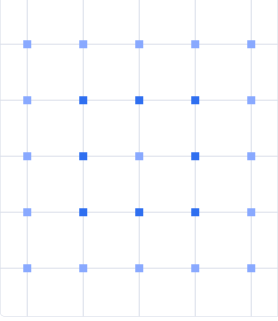
Indexing is expensive, and an edge device is the wrong place to pay for it. Write your points to a Qdrant server as well as the local shard, let the server build the index, and sync back only the segments that changed.
Back up and restore a device.
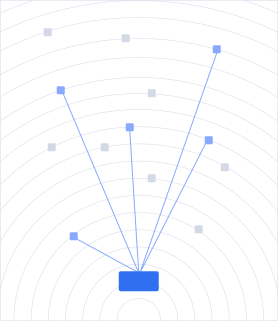
Push a shard's data to a central Qdrant server, and restore it when a device is replaced, reset, or provisioned for the first time.
Analyze across the whole fleet.
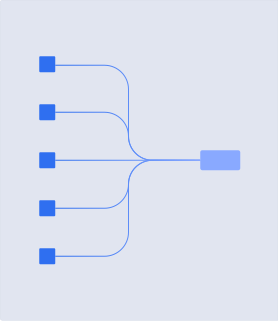
Pull data from Edge Shards across your fleet into one Qdrant server when you need to query or analyze across devices rather than within one.
Keep the fleet on the same data.
Synchronize Edge Shards through a central Qdrant server to keep every device working from the same set.
HOW IT WORKS
From Install To First Query

Create or load an Edge Shard on local disk.
Install the Python bindings with pip install qdrant-edge-py, or add the qdrant-edge crate for Rust. Call create to start a new shard at a path you choose, or load to open one that already has data.

Update and query it directly from your application.
Write and query points in the same process, with no client to configure and no connection to open. Call flush to persist writes and optimize to compact the shard. Nothing runs between your calls.

Synchronize with a central Qdrant server whenever you need to.
Apply a partial snapshot from the server with update_from_snapshot in Python, or recover_partial_snapshot in Rust.

ON-DEVICE INFERENCE
Everything Runs On The Device
Qdrant Edge keeps Qdrant's full retrieval surface. The same query primitives run in your process on the device as they do server-side.
Embed With FastEmbed
Generate vector embeddings directly on the device with FastEmbed, so both halves of a retrieval step run in the same process.
Read About On-Device EmbeddingsRun Hybrid Search
Prefetch dense and BM25 sparse results inside the same shard and fuse them with Reciprocal Rank Fusion, in-process and offline.
On-Device BM25Filter And Facet On Payload
Store payload next to your vectors, filter on it at query time, and keep live facet counts per class.
See It Runningfrom fastembed import ImageEmbedding, TextEmbedding
TEXT_MODEL_NAME='Qdrant/clip-ViT-B-32-text'
VISION_MODEL_NAME='Qdrant/clip-ViT-B-32-vision'
MODELS_DIR="./qdrant-edge-directory/models"
ImageEmbedding(
model_name=VISION_MODEL_NAME,
cache_dir=MODELS_DIR
)
TextEmbedding(
model_name=TEXT_MODEL_NAME,
cache_dir=MODELS_DIR
)
from qdrant_edge import (
    EdgeConfig,
    EdgeShard,
    EdgeSparseVectorParams,
    Modifier,
)

config = EdgeConfig(
    sparse_vectors={"text":
EdgeSparseVectorParams(modifier=Modifier.Idf)}
,
)

shard = EdgeShard.create(SHARD_DIRECTORY, config)
HARDWARE FIT
Built For Constrained Devices
from pathlib import Path

SHARD_DIRECTORY = "./qdrant-edge-directory"

Path(SHARD_DIRECTORY).mkdir(parents=True, exist_ok=True)
const SHARD_DIRECTORY: &str = "./qdrant-edge-directory";

fs_err::create_dir_all(SHARD_DIRECTORY)?;
Runs on devices with no room for a database process.
Qdrant Edge is designed for in-process retrieval on devices that don't have room for a database process, and nothing runs between your calls.
Each device carries its own shard.
An Edge Shard is self-contained and operates independently, so adding a device means creating another shard rather than scaling a cluster.
Python and Rust today.
Qdrant Edge ships Python bindings on PyPI and the qdrant-edge crate on crates.io. If your application uses another language, talk to us before you commit to an architecture.
FAQs
How is Qdrant Edge different from running Qdrant on a small machine?
How does synchronization with a central Qdrant server work?
Which languages does Qdrant Edge support?
Can I generate embeddings on the device?
Is Qdrant Edge ready for production?
What can an Edge Shard do?
