
- Products
- Solutions
- Resources
- Company



QUANTIZATION
Cut Your Memory Footprint at Scale
Quantization keeps only the compressed vectors in RAM and moves the full-precision originals to disk, so you can fit more into every node. Not only does this reduce cost, but it also increases speed.
from qdrant_client import QdrantClient, models

client = QdrantClient(url="http://localhost:6333")

client.query_points(
    collection_name="{collection_name}",
    query=[0.2, 0.1, 0.9, 0.7],
    search_params=models.SearchParams(
        quantization=models.QuantizationSearchParams(
            ignore=False,
            rescore=True,
            oversampling=2.0,
        )
    ),
)
WHY IT MATTERS
Performance: What You Trade, What You Keep
Quantization lowers memory pressure and can raise throughput. The cost shows up in recall when you search the quantized index alone. Pick the method and storage mode that match your latency budget, then add rescoring to recover accuracy where it matters.
Read the Performance Guide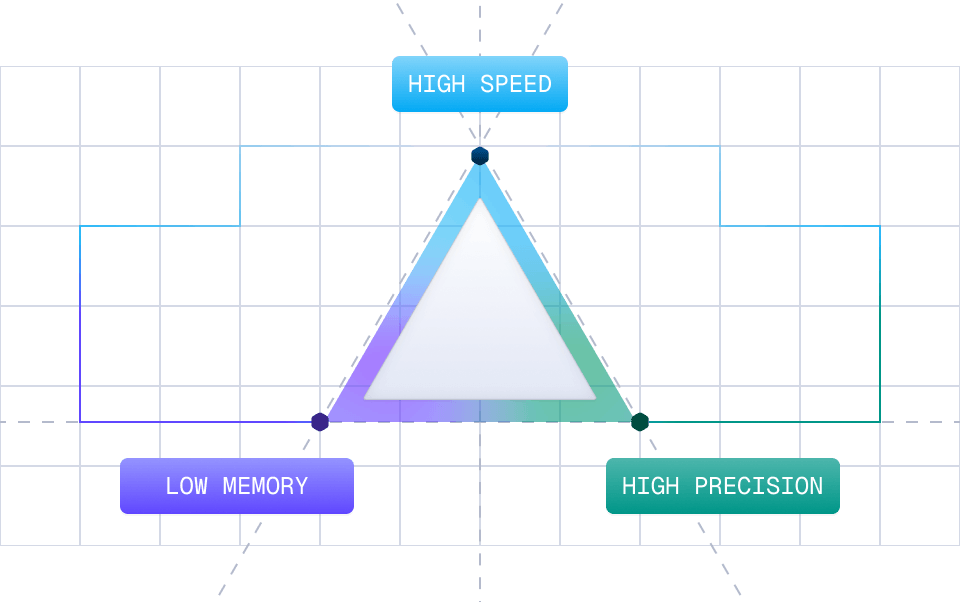
WHAT YOU GET
Keep Your Recall:Rescoring & Oversampling
Compression trades some accuracy for speed and memory, and rescoring gives most of that accuracy back. Set the rescore parameter on your search request and Qdrant re-ranks the compressed candidates against the original vectors before returning results. Raise oversampling to widen that candidate pool.
Recall vs P95 Latency, Oversampling 1X → 16X
How much latency you pay for each point of recall that rescoring gives back
K=10
K=100
HNSW, No Quantization
Rescore Off
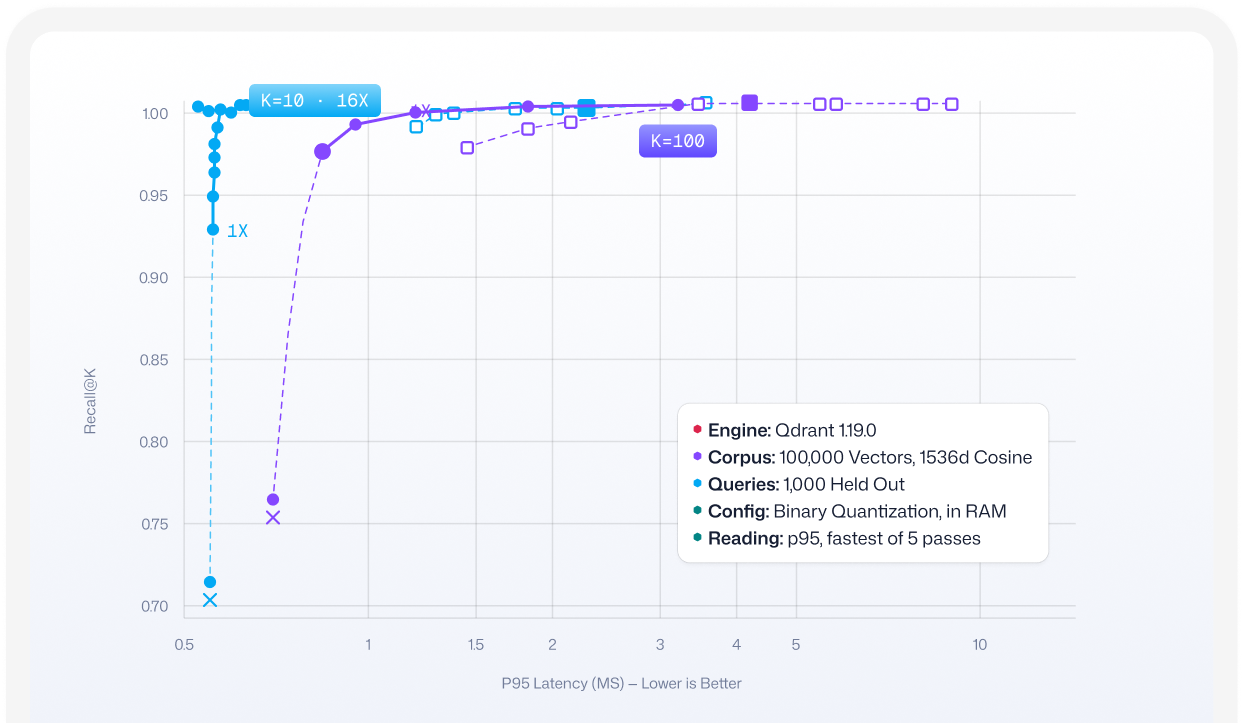
At k=100, 3x with rescore beats un-quantized HNSW on both axes: 0.9946 recall at 1.49 ms against 0.9877 at 2.25 ms. Rescore off: 0.6873, unrecoverable. Measured on 100,000 dbpedia entities embedded with OpenAI text-embedding-ada-002, 1536d cosine.
Learn How Rescoring WorksCONFIGURATION
Choose Your Method: The Comparison Matrix
to scalar at double the compression
any dimensionality
no dataset training
is the only priority

Multi-Vector vs. Single-Vector Collections
If your collection uses multi-vector representations for late-interaction retrieval, quantization delivers less memory relief than it does for single-vector collections. If you are sizing a multi-vector collection and wondering whether quantization changes the math, contact us and we will work through the numbers with you.



Embedding Fit
Some embedding models compress more cleanly than others, and the gap in recall varies by model. Check how your embedding model behaves under each quantization method before you size the cluster or commit to a configuration.

Storage Modes
Keep your quantized vectors in RAM for fast lookups and let the full-precision originals live on disk. The memory setting lets you tune exactly which data stays hot and which moves to slower storage.
FAQs
Does quantization require a paid tier?
Will I lose recall when I turn quantization on?
Which quantization method should I start with?
