
Fine-Tuning Sparse Embeddings for E-Commerce Search | Part 2: Training SPLADE on Modal
Thierry Damiba
·March 09, 2026

This is Part 2 of a 5-part series on fine-tuning sparse embeddings for e-commerce search. In Part 1, we covered why sparse embeddings beat BM25 for e-commerce. Now we build the training pipeline.
Series:
- Part 1: Why Sparse Embeddings Beat BM25
- Part 2: Training SPLADE on Modal (here)
- Part 3: Evaluation & Hard Negatives
- Part 4: Specialization vs Generalization
- Part 5: From Research to Product
In the last article we made the case for sparse embeddings in e-commerce search. Now we write the code. All source code is available in the GitHub repo, and you can try the fine-tuned models on HuggingFace. Want to skip straight to fine-tuning on your own data? See the sparse-finetune CLI. By the end of this piece, you’ll have a SPLADE model trained on Amazon’s ESCI dataset, running on Modal’s serverless GPUs, with checkpoints saved to persistent storage.
The Dataset: Amazon ESCI
We use Amazon’s ESCI dataset (Shopping Queries Dataset), released for KDD Cup 2022. It’s one of the most realistic e-commerce search benchmarks available:
- 1.2M+ query-product pairs with human-annotated relevance labels
- Four relevance grades: Exact (E), Substitute (S), Complement (C), Irrelevant (I)
- Rich product metadata: titles, descriptions, bullet points, brands
The graded relevance is what makes ESCI interesting:
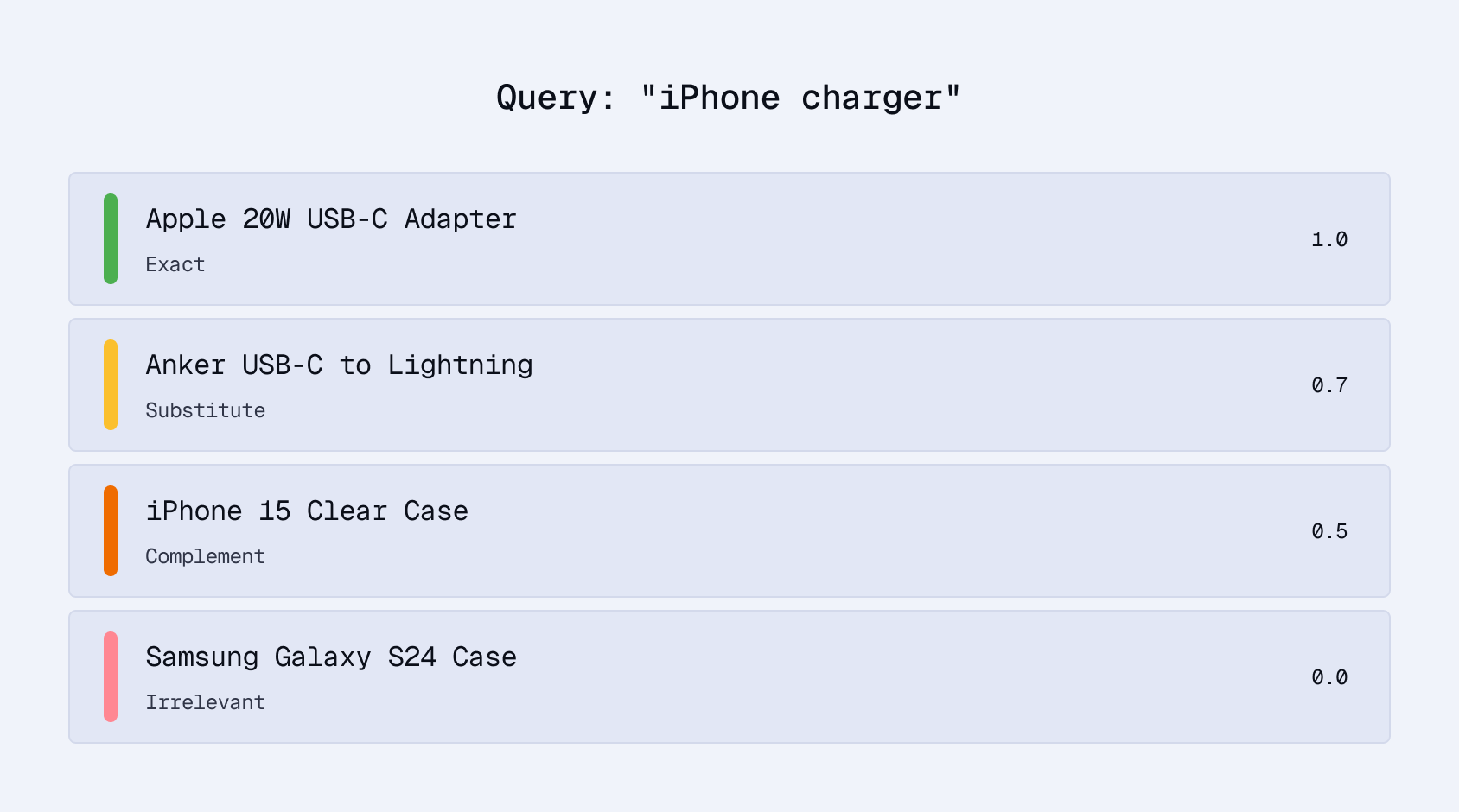
For training, we use Exact and Substitute pairs as positives. This teaches the model that both the exact product and reasonable alternatives are relevant, matching how real shoppers think.
Loading the Data
from datasets import load_dataset
from src.data.text_builder import build_product_text

def load_esci_training_data(max_samples=None):
    """Load ESCI dataset as anchor-positive pairs for contrastive training."""
    dataset = load_dataset("tasksource/esci", split="train")

    pairs = []
    for row in dataset:
        if row["relevance_label"] not in ("E", "S"):
            continue

        query = row["query"]
        product_text = build_product_text(
            title=row["product_title"],
            brand=row.get("product_brand", ""),
            description=row.get("product_description", ""),
            bullets=row.get("product_bullet_point", []),
        )
        pairs.append({"anchor": query, "positive": product_text})

        if max_samples and len(pairs) >= max_samples:
            break

    return pairs
Product Text Formatting
How you format product text matters for sparse embeddings. Unlike dense models that capture broad semantic meaning, SPLADE is lexically grounded: the specific tokens in your text determine which vocabulary dimensions activate:
def build_product_text(title, brand="", description="", bullets=None, max_length=512):
    """Consistent product text formatting for SPLADE."""
    parts = []

    # Brand in brackets makes it a distinct signal
    if brand:
        parts.append(f"[{brand}]")

    parts.append(title)

    # Pipe separators help the model distinguish sections
    if description:
        parts.append(f"| {description[:200]}")

    if bullets:
        parts.append(f"| {' | '.join(bullets[:3])}")

    text = " ".join(parts)
    return text[:max_length]

# Example output:
# "[Sony] WH-1000XM5 Wireless Headphones | Industry-leading noise
#  cancellation | 30hr battery | Hi-Res Audio"
The bracket notation for brands, pipe separators between sections, and character limits are deliberate. They preserve lexical signals that SPLADE can learn from: brand names, product attributes, and key features remain as distinct tokens rather than blurring into a wall of text.
Setting Up the Modal App
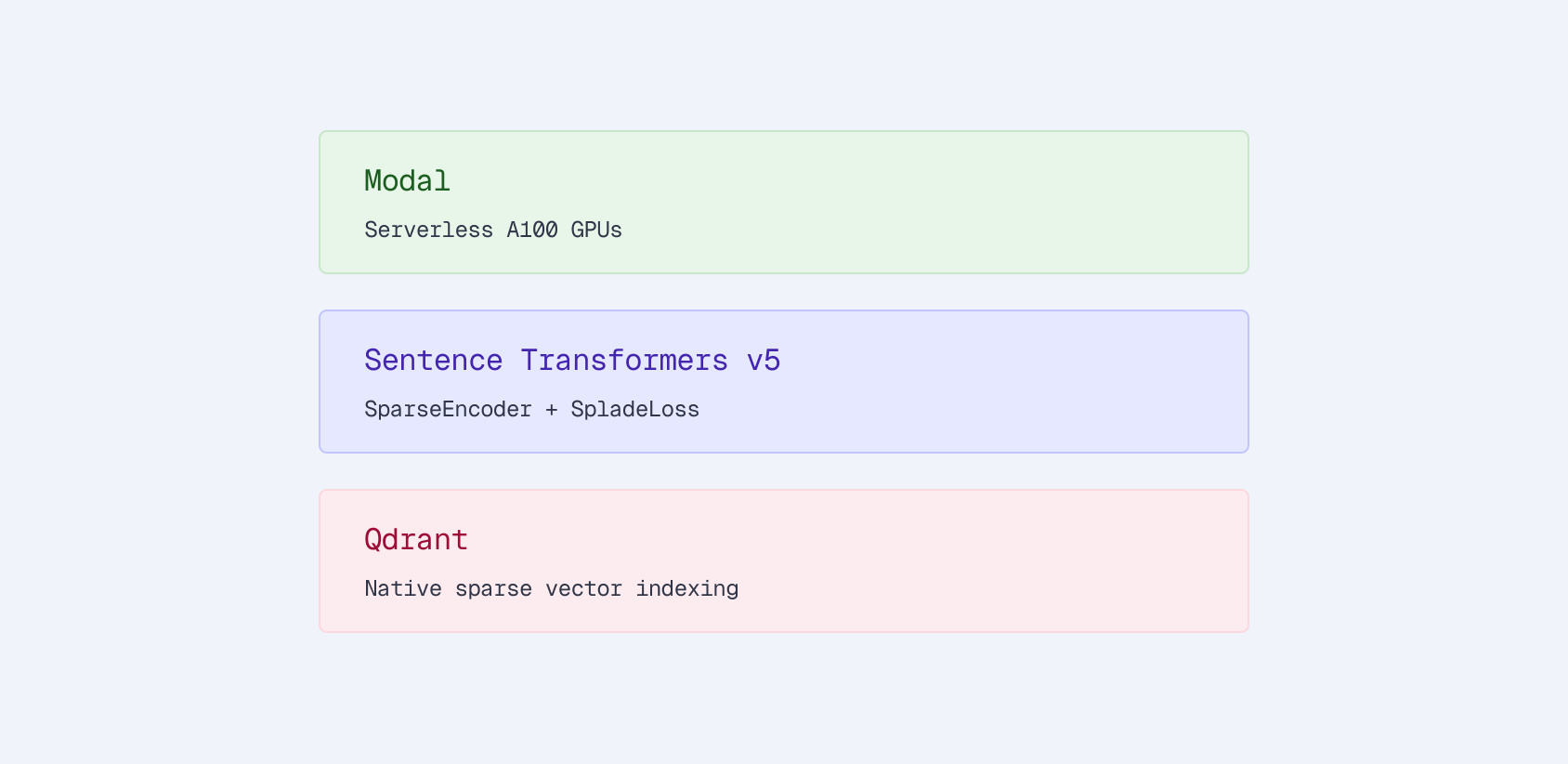
Modal gives us serverless GPUs. No provisioning, no idle hardware, pay-per-second billing. Here’s the app configuration:
import modal

app = modal.App("esci-sparse-encoder")

# Persistent storage for checkpoints and datasets
checkpoint_volume = modal.Volume.from_name(
    "esci-sparse-checkpoints", create_if_missing=True
)
dataset_volume = modal.Volume.from_name(
    "esci-datasets", create_if_missing=True
)

# Docker image with dependencies
image = (
    modal.Image.debian_slim(python_version="3.11")
    .pip_install(
        "sentence-transformers>=5.0.0",
        "torch>=2.2.0",
        "transformers>=4.45.0",
        "datasets>=2.20.0",
        "qdrant-client>=1.12.0",
        "accelerate>=0.30.0",
    )
)
Two things matter here:
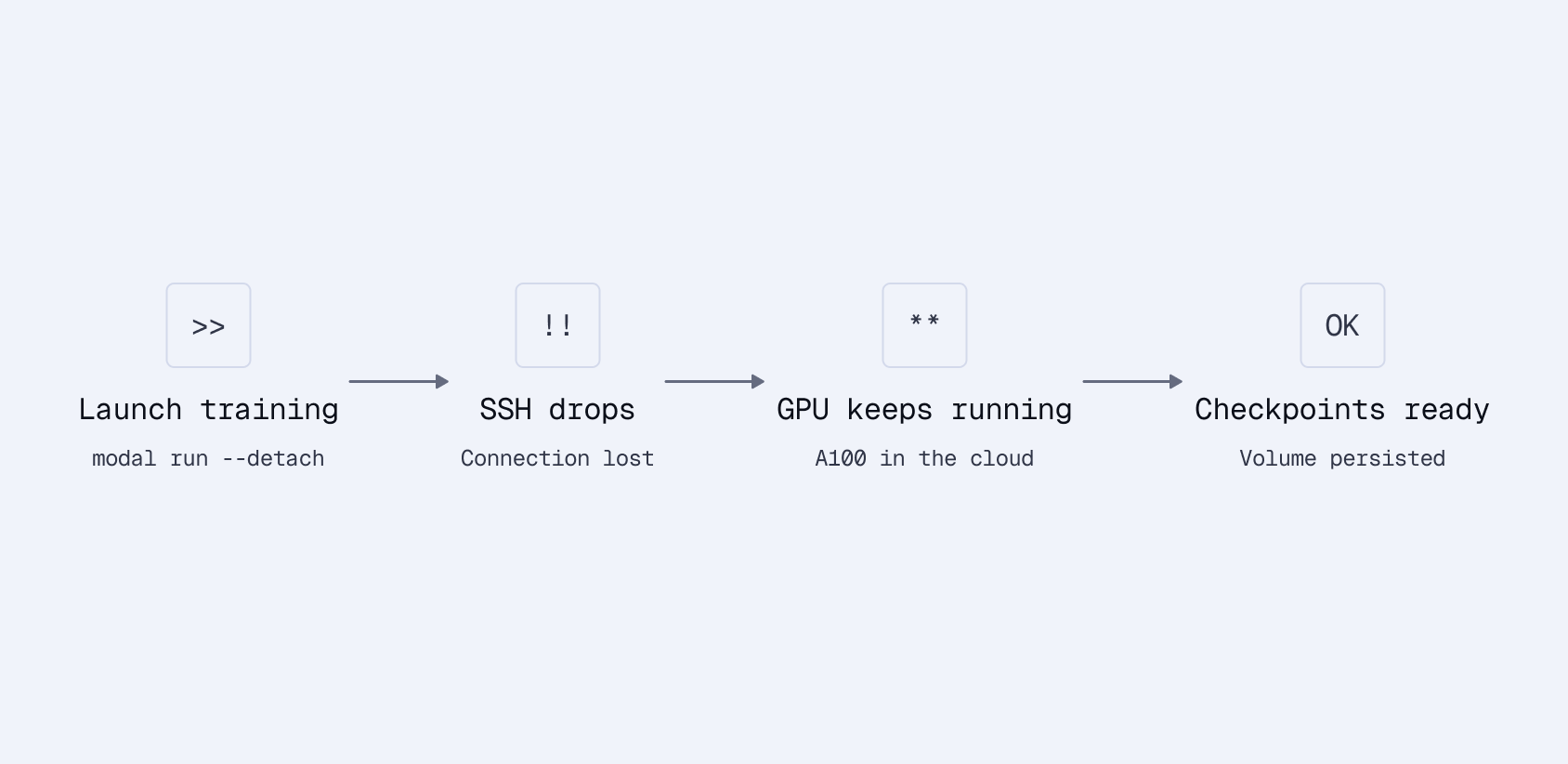
Persistent volumes. Training runs can take hours. If your SSH connection drops or a container restarts, you don’t want to lose checkpoints. Modal volumes persist data across runs. Mount them at a path and write to them like a local filesystem.
Detached runs. For long training jobs, launch with --detach and walk away:
# Start training and disconnect
uv run modal run --detach modal_app.py --mode train

# Come back later, check your checkpoints
uv run modal volume ls esci-sparse-checkpoints /checkpoints/
No S3 uploads, no checkpoint management code, no lost training runs.
Creating the SPLADE Model
Sentence Transformers v5 introduced SparseEncoder, making SPLADE training straightforward. The model has two components:
- MLMTransformer: A transformer with a masked language model head that outputs logits over the full vocabulary
- SpladePooling: Max-pools the token-level logits and applies ReLU + log saturation
from sentence_transformers import SparseEncoder
from sentence_transformers.sparse_encoder.models import (
    MLMTransformer,
    SpladePooling,
)

def create_sparse_encoder(base_model="distilbert/distilbert-base-uncased"):
    """Create a SPLADE model from a base transformer."""

    # MLM transformer outputs logits over vocabulary
    mlm = MLMTransformer(base_model)

    # SPLADE pooling: max over tokens, ReLU activation
    pooling = SpladePooling(pooling_strategy="max")

    return SparseEncoder(modules=[mlm, pooling])
We start from DistilBERT rather than a pre-trained SPLADE checkpoint (like naver/splade-v3). This is a deliberate choice. We want to measure how much domain-specific fine-tuning helps when starting from a general language model, not from a model already trained on web search data.
The Training Function
Here’s the core training logic, decorated as a Modal function:
@app.function(
    image=image,
    gpu="A100",
    volumes={
        "/checkpoints": checkpoint_volume,
        "/datasets": dataset_volume,
    },
    timeout=3600 * 6,
)
def train_sparse_encoder(config: dict):
    from sentence_transformers import SparseEncoder
    from sentence_transformers.sparse_encoder import SparseEncoderTrainer
    from sentence_transformers.training_args import SparseEncoderTrainingArguments
    from sentence_transformers.losses import SpladeLoss, SparseMultipleNegativesRankingLoss

    # Create model
    model = create_sparse_encoder(config["base_model"])

    # Load ESCI dataset (anchor-positive pairs)
    train_dataset = load_esci_training_data(
        max_samples=config.get("max_samples")
    )

    # SPLADE loss combines contrastive learning with sparsity regularization
    loss = SpladeLoss(
        model=model,
        loss=SparseMultipleNegativesRankingLoss(model=model),
        query_regularizer_weight=float(config.get("query_regularizer_weight", 5e-5)),
        document_regularizer_weight=float(config.get("document_regularizer_weight", 3e-5)),
    )

    # Training arguments
    args = SparseEncoderTrainingArguments(
        output_dir=f"/checkpoints/{config['run_name']}",
        num_train_epochs=config.get("num_epochs", 1),
        per_device_train_batch_size=config.get("batch_size", 32),
        learning_rate=float(config.get("learning_rate", 2e-5)),
        warmup_ratio=0.1,
        fp16=True,
        save_steps=1000,
        logging_steps=100,
    )

    # Train
    trainer = SparseEncoderTrainer(
        model=model,
        args=args,
        train_dataset=train_dataset,
        loss=loss,
    )
    trainer.train()

    # Save final model
    model.save_pretrained(f"/checkpoints/{config['run_name']}/final")

    return f"/checkpoints/{config['run_name']}/final"
Understanding SpladeLoss
SpladeLoss wraps two objectives:
Contrastive loss (SparseMultipleNegativesRankingLoss): Given a batch of (query, product) pairs, treat other products in the batch as negatives. Push relevant query-product pairs together, push irrelevant ones apart. This is the same in-batch negative approach used for dense embedding training, and it works because most random products are irrelevant to a given query.
Sparsity regularization: Penalizes dense outputs to maintain efficiency. Without it, the model would activate all 30,000 vocabulary dimensions for every input. That’s technically optimal for matching but useless for retrieval speed and storage.
The regularization weights control this tradeoff:
| Parameter | Value | Effect |
|---|---|---|
query_regularizer_weight | 5e-5 | Higher = sparser queries |
document_regularizer_weight | 3e-5 | Higher = sparser documents |
The sweet spot is 100-300 active terms per vector. Too high regularization produces nearly empty vectors (fast but low recall). Too low produces thousands of terms (slow, huge index).
Document regularization is lower than query regularization because product descriptions need more terms to capture all relevant attributes. A product listing for headphones should activate terms like “audio”, “wireless”, “bluetooth”, “noise”, “canceling” - more than the 3-4 words in a typical query.
Configuration via YAML
We keep hyperparameters in YAML files for easy experimentation:
# configs/splade_standard.yaml
run_name: splade_standard
base_model: distilbert/distilbert-base-uncased
architecture: splade
batch_size: 32
learning_rate: 2e-5
num_epochs: 1
query_regularizer_weight: 5e-5
document_regularizer_weight: 3e-5
max_samples: 100000
100K samples trains in about 6 minutes on an A100 and costs less than $1 on Modal. The full 1.2M dataset with multiple epochs takes a few hours, still cheap compared to reserved GPU instances.
Parallel Hyperparameter Sweeps
One of Modal’s strengths is embarrassingly parallel workloads. Hyperparameter sweeps are a natural fit. spawn() launches one GPU per configuration:
@app.function(gpu="A100")
def train_single_experiment(config: dict):
    """Train one configuration."""
    model = create_sparse_encoder(config["base_model"])
    # ... training code ...
    return {"config": config, "ndcg": evaluate(model)}

@app.local_entrypoint()
def run_hyperparameter_sweep():
    """Launch all experiments in parallel."""
    configs = [
        {"learning_rate": 1e-5, "regularizer_weight": 3e-5},
        {"learning_rate": 2e-5, "regularizer_weight": 3e-5},
        {"learning_rate": 2e-5, "regularizer_weight": 5e-5},
        {"learning_rate": 5e-5, "regularizer_weight": 5e-5},
        # ... more configurations ...
    ]

    # Launch all experiments simultaneously
    handles = [train_single_experiment.spawn(c) for c in configs]

    # Collect results as they complete
    results = [h.get() for h in handles]
    best = max(results, key=lambda r: r["ndcg"])
    print(f"Best config: {best}")
A 24-experiment sweep finishes in the time of a single training run. Each experiment gets its own A100. You pay only for the compute time actually used, not for idle GPUs waiting in a queue.
What NOT to Do: The Inference-Free SPLADE Trap
We tried replacing the query-side transformer with a static embedding lookup to save latency. The idea is appealing: queries are short, so why run a full transformer?
# DON'T DO THIS (for e-commerce)
router = Router.for_query_document(
    query_modules=[
        SparseStaticEmbedding(tokenizer=mlm.tokenizer)  # Fast but weak
    ],
    document_modules=[
        mlm,
        SpladePooling(pooling_strategy="max"),
    ],
)
The results were disastrous:
| Architecture | nDCG@10 |
|---|---|
| Standard SPLADE (contextual) | 0.389 |
| Inference-Free (static) | 0.065 |
That’s 6x worse without contextual encoding.
The static embedding completely failed because e-commerce queries are highly contextual. “Apple” means different things in “apple iphone” vs “apple fruit”. The static embedding can’t disambiguate. It looks up “apple” and returns the same vector regardless of context.
The transformer is the bottleneck at ~15ms per query, but 15ms is perfectly acceptable for search. Don’t prematurely optimize away the component that makes the model work.
Running Training
With everything in place, launch training:
# Quick test run (100K samples)
uv run modal run modal_app.py \
    --config-path configs/splade_standard.yaml \
    --mode train

# Full dataset, detached
uv run modal run --detach modal_app.py \
    --config-path configs/splade_standard.yaml \
    --mode train
The model checkpoint gets saved to the persistent volume at /checkpoints/splade_standard/final. We’ve also published the trained model on HuggingFace as splade-ecommerce-esci so you can skip training and use it directly. In the next article, we’ll load this model, index products into Qdrant, and run retrieval benchmarks to see exactly how much we’ve improved over BM25.
Key Takeaways
- ESCI’s graded relevance (Exact, Substitute, Complement, Irrelevant) teaches the model nuanced matching, not just binary relevant/not-relevant.
- Product text formatting matters for sparse models. Keep lexical signals distinct with structured formatting.
- SpladeLoss balances two objectives: contrastive learning for relevance and regularization for sparsity. The regularization weights are the main knob to tune.
- Modal’s persistent volumes solve the checkpoint management problem. Detached runs survive SSH drops.
- Don’t skip the query transformer. The 15ms of latency buys you a 6x quality improvement over static embeddings.

