
Fine-Tuning Sparse Embeddings for E-Commerce Search | Part 5: From Research to Product
Thierry Damiba
·March 09, 2026

This is Part 5 of a series on fine-tuning sparse embeddings for e-commerce search. Parts 1–4 built the pipeline from scratch. This article packages it into a tool anyone can use.
Series:
- Part 1: Why Sparse Embeddings Beat BM25
- Part 2: Training SPLADE on Modal
- Part 3: Evaluation & Hard Negatives
- Part 4: Specialization vs Generalization
- Part 5: From Research to Product (here)
In Parts 1 through 4, we built a SPLADE fine-tuning pipeline piece by piece: data loading, Modal GPU training, Qdrant evaluation, ANCE hard negative mining, cross-domain experiments. The code worked. The results were strong: 28% over BM25 on Amazon ESCI.
Using it required reading four articles, cloning a repo, understanding the training loop internals, wiring up Modal volumes, and configuring Qdrant connections manually. That’s fine for a series walkthrough. It’s not fine for someone who has a product catalog and wants a better search model by end of day.
So we packaged everything into qdrant-sparse-finetune: an open-source CLI and web dashboard that runs the entire pipeline (synthetic query generation, SPLADE training with ANCE, evaluation, and HuggingFace publishing) with a single command.
The Problem We’re Solving
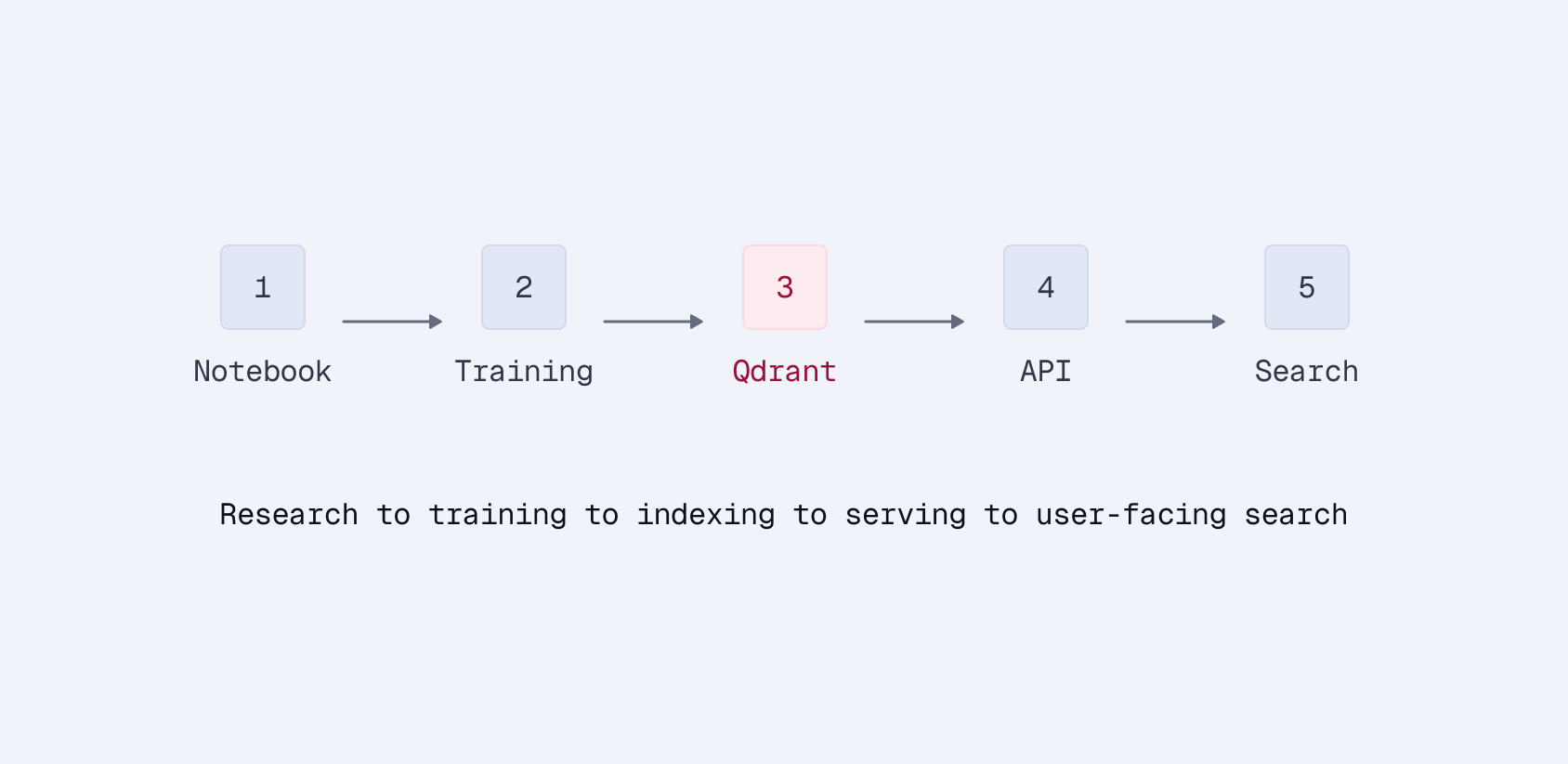
The series repo (finetune-ecommerce-search) is research code. It demonstrates how sparse embedding fine-tuning works. Actually using it on your data means you need to:
- Format your product data to match the expected schema
- Either provide labeled queries or set up an LLM API for synthetic generation
- Configure Modal volumes and GPU settings
- Wire up Qdrant credentials for indexing and mining
- Run training, manually trigger ANCE iterations
- Evaluate, interpret metrics
- Publish to HuggingFace if you want to share the model
Each step has its own configuration, its own failure modes, and its own set of assumptions about how the previous step ran. It’s a pipeline with no orchestration.
qdrant-sparse-finetune handles all of that:
pip install git+https://github.com/qdrant/sparse-finetune.git
qdrant-finetune setup
qdrant-finetune pipeline --data products.csv --gpu modal
Three commands. The setup wizard configures Qdrant, your LLM provider, and your GPU backend (Modal or Vultr). The pipeline command runs everything end-to-end. When training finishes, it asks if you want to publish to HuggingFace and gives you the link.
Two Interfaces, Same Pipeline
The CLI
For developers and automation:
# End-to-end on Modal (serverless A10G)
qdrant-finetune pipeline --data products.csv --gpu modal

# End-to-end on Vultr (dedicated cloud GPU)
qdrant-finetune pipeline --data products.csv --gpu vultr

# Or step by step
qdrant-finetune generate-queries --data products.csv --synth-model gpt-4o-mini
qdrant-finetune train --data products.csv --queries queries.jsonl --gpu modal
qdrant-finetune evaluate --model output/finetune/final --queries test_queries.jsonl
qdrant-finetune publish --model output/finetune/final --repo your-name/your-model
The pipeline command chains all four steps. If you already have labeled queries, pass --queries to skip generation. If you pass --repo, it publishes automatically. If you don’t, it asks after training completes:
Training complete! Publish to HuggingFace Hub? [Y/n]: y
  Repo name (e.g. your-username/my-splade-model): acme/product-search-splade
  Private repo? [y/N]: n

Published → https://huggingface.co/acme/product-search-splade
No buried flags. The most valuable output, a shareable model URL, is the natural endpoint of the workflow.
The Dashboard
For teams who prefer a visual interface:
qdrant-finetune studio
This launches a web dashboard with tabs for each stage of the pipeline:
Train. Configure the base model, ANCE iterations, batch size, and GPU backend. Submit a job and watch live logs with a loss chart that updates as training progresses.
Evaluate. Point at a trained model and test queries. Get metric cards for nDCG@10, MRR@10, Recall, and Precision.
Collections. Browse your Qdrant collections, check point counts, and run test searches against indexed products. Useful for sanity-checking that indexing worked before evaluation.
Publish. Enter a model path and HuggingFace repo name. Click publish.
Jobs. Full history of every training, evaluation, and publish job. Expand any job to see its configuration, logs, and results. Jobs are tracked whether they were launched from the CLI or the dashboard.
Settings. Manage API keys for Qdrant, OpenAI, Anthropic, OpenRouter, Vultr, and HuggingFace. All stored in .env, all masked in the UI.
The dashboard is the recommended starting point. You can see everything the tool can do without reading documentation, and the job history gives you a record of every experiment.
What Changed From the Series Code
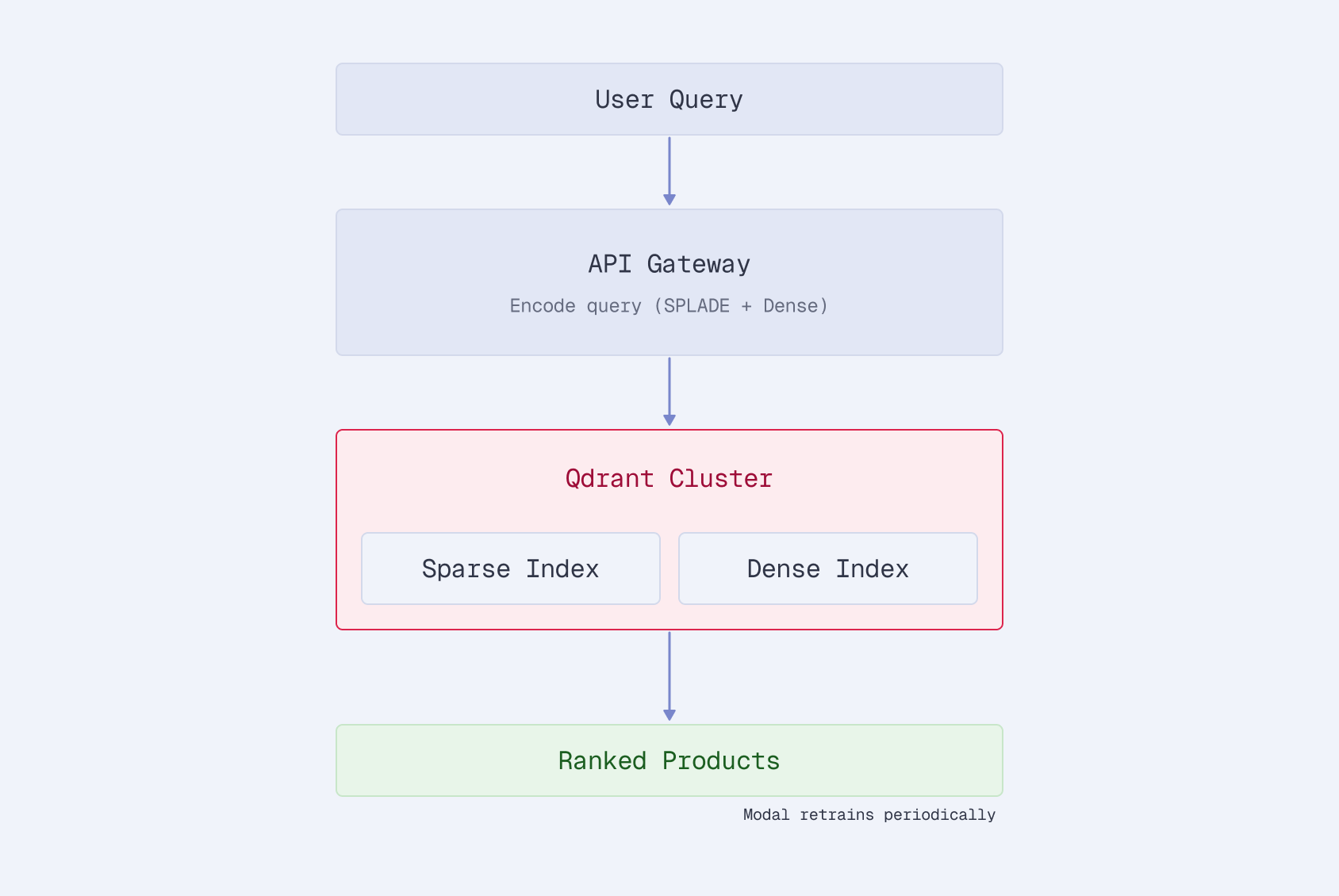
The pipeline from Parts 2-4 is the same underneath. The toolkit wraps it with:
Automatic data handling. Pass a CSV, JSON, JSONL, or HuggingFace dataset path. The loader auto-detects columns (title, description, name, product_id) and builds product text using the same bracket-brand, pipe-separated format from Part 2. No manual formatting.
Synthetic query generation. If you don’t have labeled queries, the toolkit generates them using any litellm-supported model. Pass --synth-model gpt-4o-mini or --synth-model ollama/llama3 for local generation. It reads your product catalog and generates realistic search queries with relevance labels.
# OpenAI
qdrant-finetune generate-queries --data products.csv --synth-model gpt-4o-mini

# Local Ollama
qdrant-finetune generate-queries --data products.csv --synth-model ollama/llama3

# Anthropic
qdrant-finetune generate-queries --data products.csv --synth-model anthropic/claude-sonnet-4-20250514
Multi-backend GPU support. Modal and Vultr are both supported. The --gpu modal flag handles volume creation, data upload, and job launching. --gpu vultr does the same for Vultr Cloud GPU. Both download the trained model back to your local machine when done.
Interactive publishing. The original series code required you to manually load the model and call push_to_hub. The toolkit prompts you after training completes, asks for the repo name, handles authentication, and prints the HuggingFace URL.
Job tracking. Every operation (train, evaluate, publish) is logged with configuration, timestamps, status, and output. The dashboard surfaces this as a job history. The CLI stores it in a local SQLite database.
One-Line Python API
For notebooks and scripts, the same pipeline is available as a function call:
from qdrant_finetune import finetune

model_path = finetune("products.csv")
That single line:
- Loads your product data
- Generates synthetic queries via LLM
- Creates a SPLADE encoder
- Runs 3 rounds of ANCE hard negative mining against Qdrant
- Saves the fine-tuned model
For more control:
from qdrant_finetune import Trainer, FinetuneConfig

config = FinetuneConfig(
    base_model="distilbert/distilbert-base-uncased",
    ance_iterations=5,
    batch_size=64,
    mining_top_k=20,
    num_negatives=3,
)

trainer = Trainer(config)
trainer.fit(data="products.csv", queries="queries.csv")
trainer.index(data="products.csv", collection_name="my_products")
metrics = trainer.evaluate(queries="test_queries.csv")
print(metrics)  # {'ndcg@10': 0.389, 'mrr@10': 0.387, ...}
Same ANCE loop from Part 3, same evaluation metrics. The Trainer class wraps the training loop, Qdrant indexing, hard negative mining, and evaluation into a coherent API.
Getting Started
# Install from GitHub
pip install git+https://github.com/qdrant/sparse-finetune.git

# Configure (interactive wizard)
qdrant-finetune setup

# Run the full pipeline
qdrant-finetune pipeline --data your-products.csv --gpu modal  # or --gpu vultr
The setup wizard validates your Qdrant connection, configures your LLM provider for synthetic queries, and sets up your GPU backend: Modal for serverless pay-per-second GPUs, or Vultr for dedicated cloud instances. Everything gets written to a .env file.
Or skip the CLI and launch the dashboard:
qdrant-finetune studio
The source code is on GitHub. File issues, submit PRs, or fork it for your own use case.
What’s Actually Different
The series taught the concepts. The toolkit removes the friction. Specifically:
- No pipeline assembly. You don’t wire up Modal → training → Qdrant → mining → retraining. One command does it.
- No data formatting. Auto-detection handles CSV columns. The text builder applies the formatting conventions from Part 2 automatically.
- No query labeling requirement. Synthetic generation means you can start with just a product CSV. No click logs, no relevance labels needed.
- No credential juggling. Setup once, stored in
.env, used everywhere. - No manual publishing. Interactive prompt after training. HuggingFace link as the final output.
The 28% improvement over BM25 from Part 3 isn’t locked behind a research repo anymore. It’s a pip install away.
Series Summary
- Part 1: Why sparse embeddings for e-commerce: SPLADE combines keyword precision with learned expansion
- Part 2: Training pipeline on Modal: A100 training with persistent checkpoints
- Part 3: Evaluation and hard negatives: +28% vs BM25, ANCE mining with Qdrant
- Part 4: Specialization vs generalization: Domain-specific vs multi-domain tradeoffs
- Part 5: From research to product: CLI + dashboard that runs the full pipeline

