
 Day 0
Day 0Qdrant Setup
Spin up production-grade vector search in minutes. Qdrant Cloud gives you a managed endpoint with TLS, automatic backups, high-availability options, and a clean API.
Create your cluster
- Sign up at cloud.qdrant.io with email, Google, or GitHub.
- Open Clusters → Create a Free Cluster. The Free Tier is enough for this course.
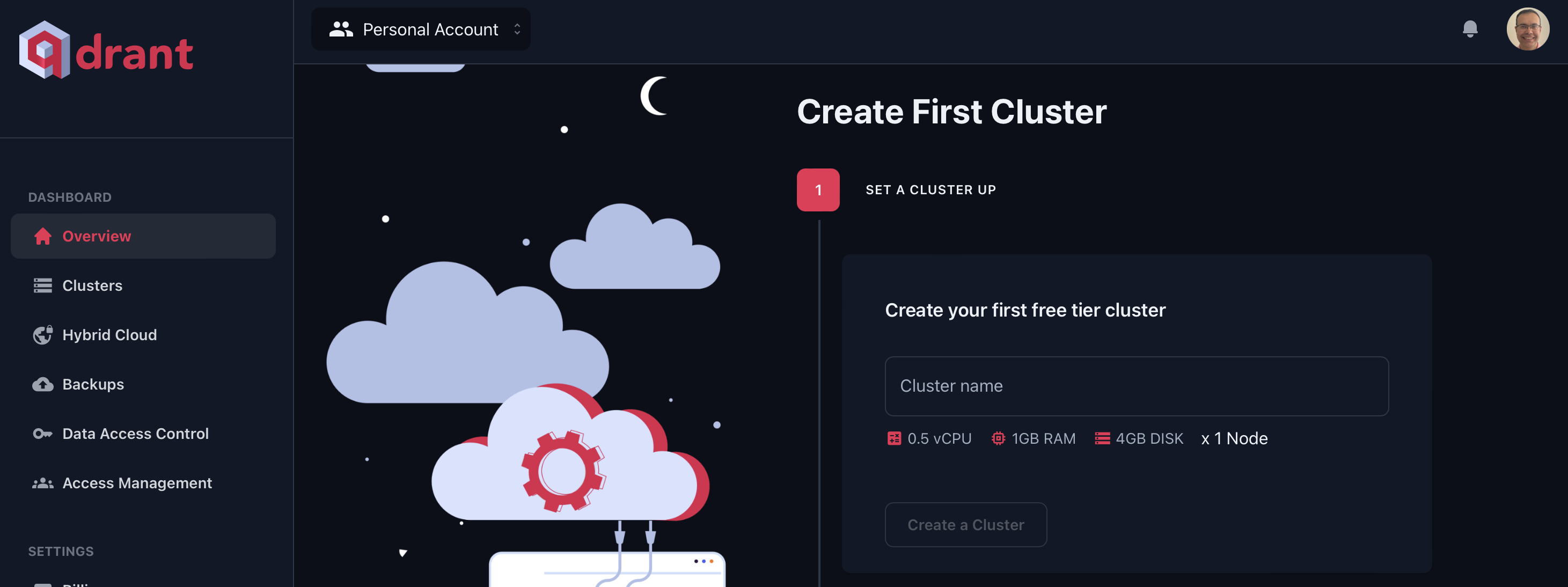
- Pick a region close to your users or app.
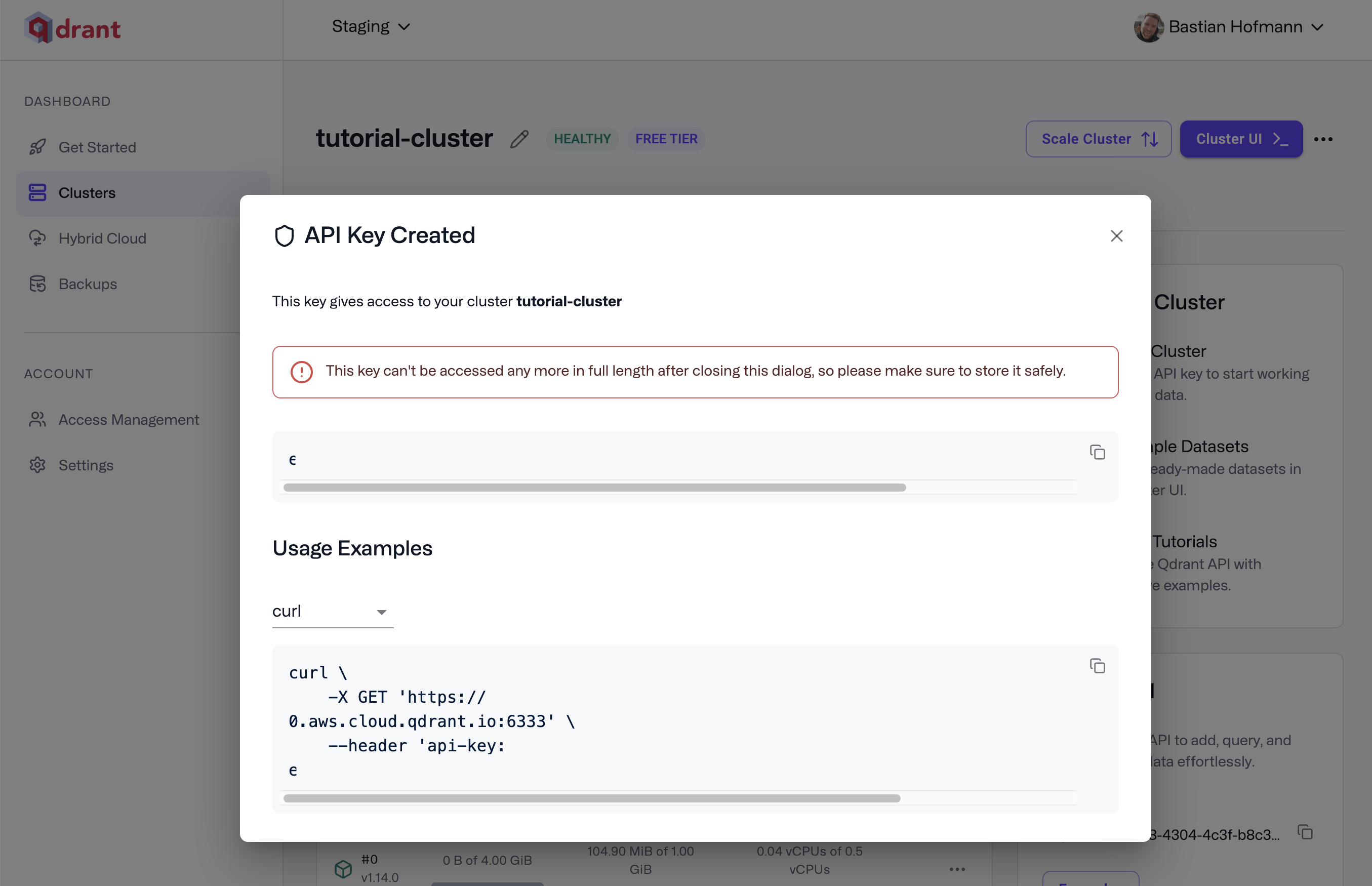
- When the cluster is ready, copy the API key and store it securely. You can make new keys later from API Keys on the cluster page.
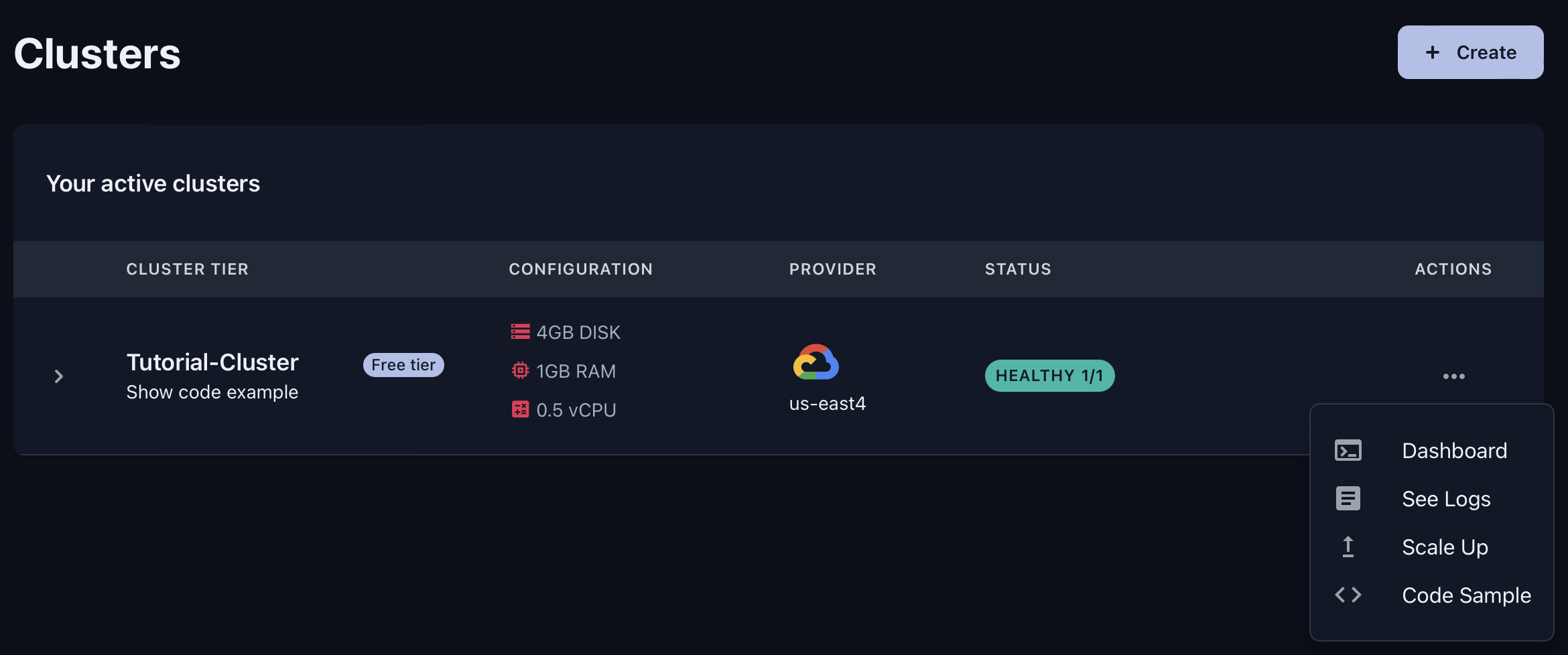
Access the Web UI
- Click Cluster UI in the top-right of the cluster page to open the dashboard.
What you can do in the Web UI
Use the Web UI to manage collections, inspect data, and debug search performance.
Main Navigation
Console: Run REST calls in the browser. Test endpoints, inspect responses, and debug queries without writing code. Handy for exploring the full API.
Collections: See and manage all collections. Create collections, upload snapshots, and track status, size, and configuration at a glance.
Tutorial: Follow an interactive walkthrough with sample data. Create a collection, add vectors, and run semantic search with live results.
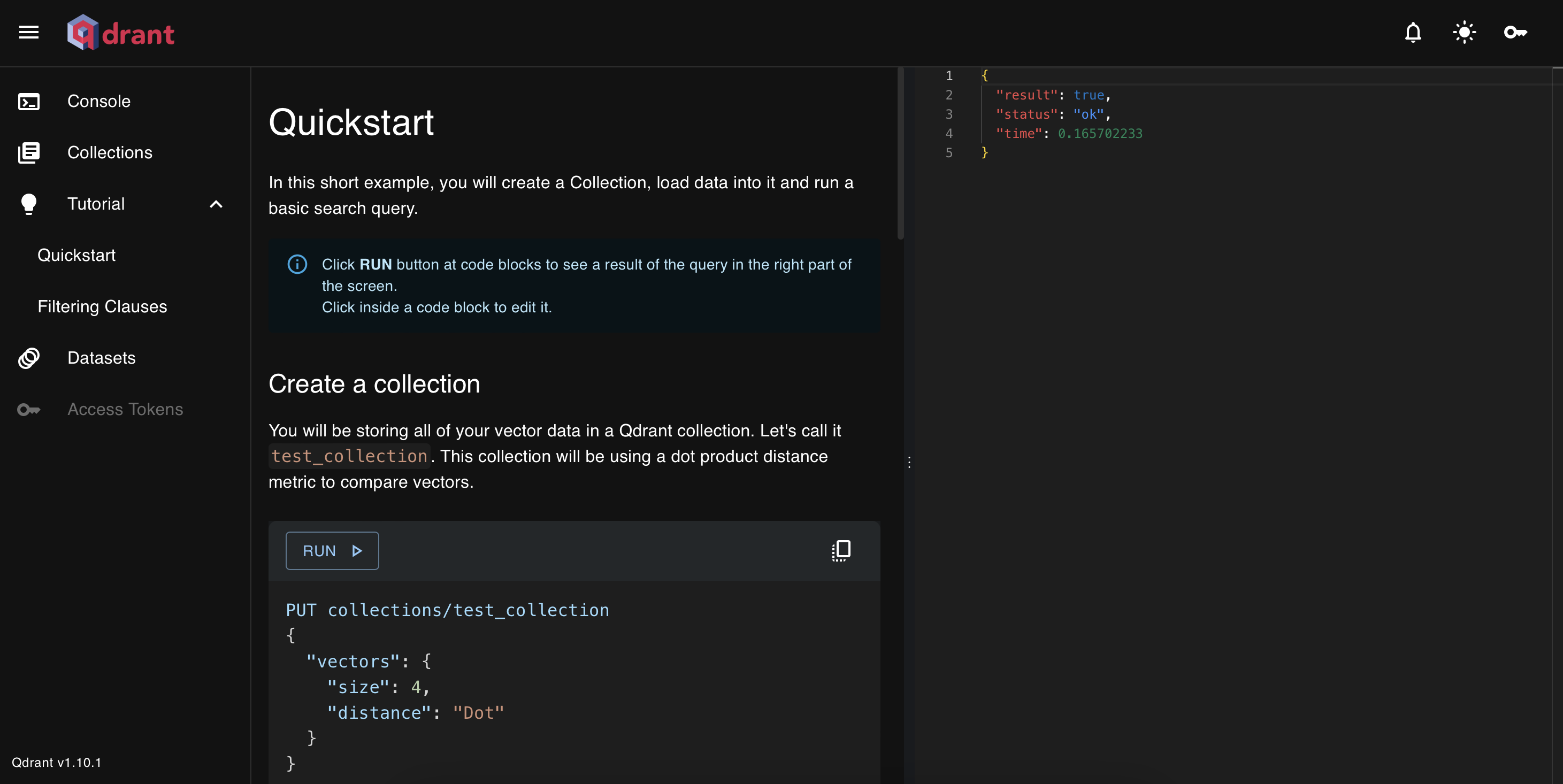
Datasets: Bulk-load preconfigured public datasets into your cluster.
Inside a Collection
When you open a collection by clicking it’s name,
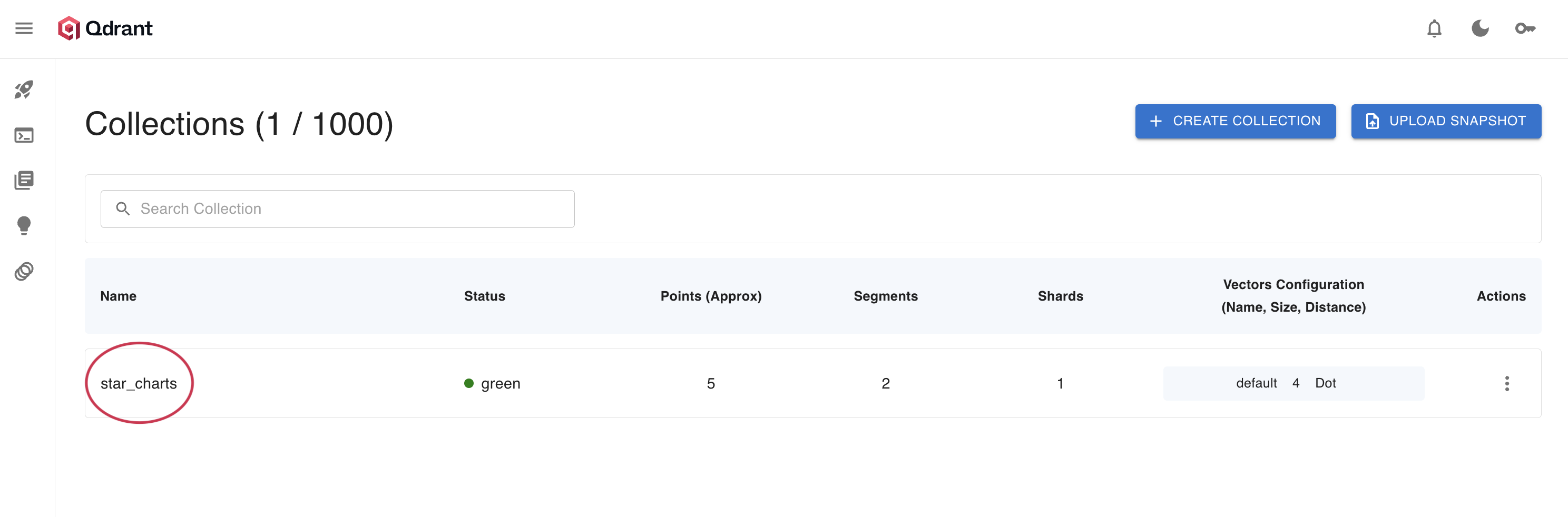
you’ll get a detailed view with these tabs:
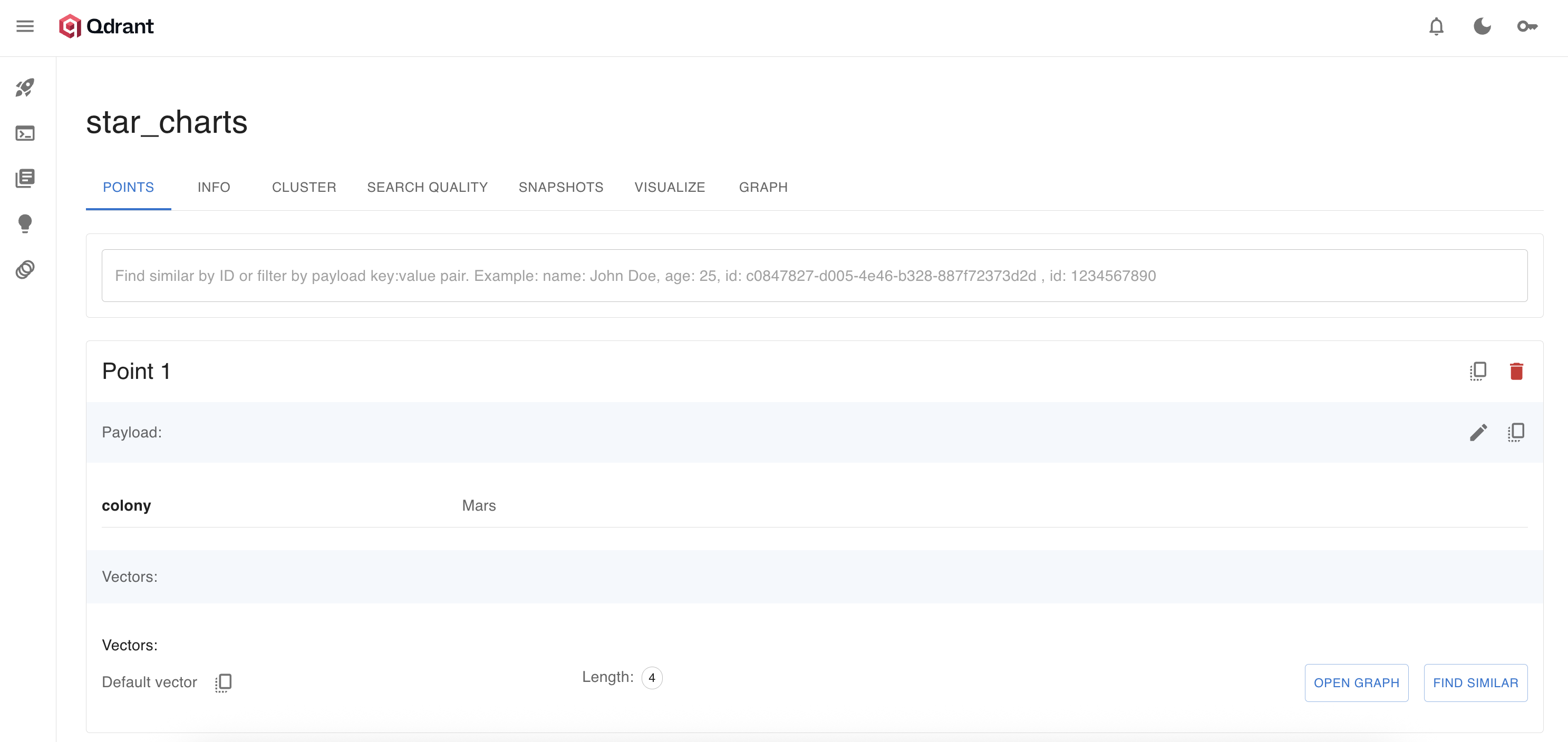
Points Tab: Inspect, search, and manage individual points. Use the search bar to find by ID or filter by payload fields (e.g.,
colony: "Mars"). For each point, you can:- See its payload and vector(s).
- Click Find Similar to run an ad-hoc similarity search.
- Click Open Graph to jump to a graph view of its HNSW connections.
Info Tab: Get a full overview of collection health, config, and stats. Key fields:
status:greenmeans healthy.points_count: Number of active points.indexed_vectors_count: Points currently in the HNSW index. If this lags behindpoints_count, background indexing is still running.config: JSON view of all parameters, from vector settings to optimizer options.
Cluster Tab: See how shards are placed across nodes. Use it to monitor health, find hot spots, and verify shard placement in distributed setups.
Search Quality Tab: Evaluate and benchmark retrieval precision against ground truth. Tune parameters and measure the impact on accuracy.
Snapshots Tab: Manage backups for this collection. Create a snapshot, restore it later, or migrate it to another cluster.
Visualize Tab: Explore your vector space with an interactive 2D projection. See clusters, spot outliers, and build intuition about your embeddings.
Graph Tab: Explore the HNSW graph interactively. Start from any point, follow nearest neighbors, and see how the graph structure powers fast search.
Connect from Python
Store credentials in an .env file at the root of your working directory or in colab:
QDRANT_URL=https://YOUR-CLUSTER.cloud.qdrant.io:6333
QDRANT_API_KEY=YOUR_API_KEY
Load the credentials from the environment and create a Qdrant client:
from qdrant_client import QdrantClient, models
import os

client = QdrantClient(url=os.getenv("QDRANT_URL"), api_key=os.getenv("QDRANT_API_KEY"))

# For Colab:
# from google.colab import userdata
# client = QdrantClient(url=userdata.get("QDRANT_URL"), api_key=userdata.get("QDRANT_API_KEY"))

# Quick health check
collections = client.get_collections()
print(f"Connected to Qdrant Cloud: {len(collections.collections)} collections")
Other ways to connect
You can also send your key in the Authorization header:
# Using api-key header
curl -X GET https://xyz-example.eu-central.aws.cloud.qdrant.io:6333/collections \
  --header 'api-key: <your-api-key>'

# Using Authorization header
curl -X GET https://xyz-example.eu-central.aws.cloud.qdrant.io:6333/collections \
  --header 'Authorization: Bearer <your-api-key>'
Quick validation
Check basic connectivity:
# Service health
curl -s "$QDRANT_URL/healthz" -H "api-key: $QDRANT_API_KEY"

# List collections
curl -s "$QDRANT_URL/collections" -H "api-key: $QDRANT_API_KEY"
Good practices
- Keep secrets out of code; use environment variables or a secret manager.
- Restrict access with IP allow-lists or private networking.
- Rotate API keys regularly from the cluster Access tab.
- Use HTTPS only; turn on RBAC and strict limits when exposing endpoints to untrusted clients.
Common issues
- Authentication error: Recheck the API key and the
api-keyheader. - Connection error: Confirm cluster status and region URL; some corporate proxies block outbound TLS.
Qdrant Cloud Inference
Qdrant Cloud also offers Cloud Inference—managed embedding generation for text and images. Skip running your own embedding models; create vectors in Qdrant Cloud and write them straight into your collections.
Cut steps from your pipeline: send raw text or images to Qdrant, get vectors and search results in one API call. This helps prototypes and production systems alike by ending the separate embedding-infrastructure layer.
Learn more: Qdrant Cloud Inference

